As an Amazon Associate, I earn from qualifying purchases.
In this article 9 sections
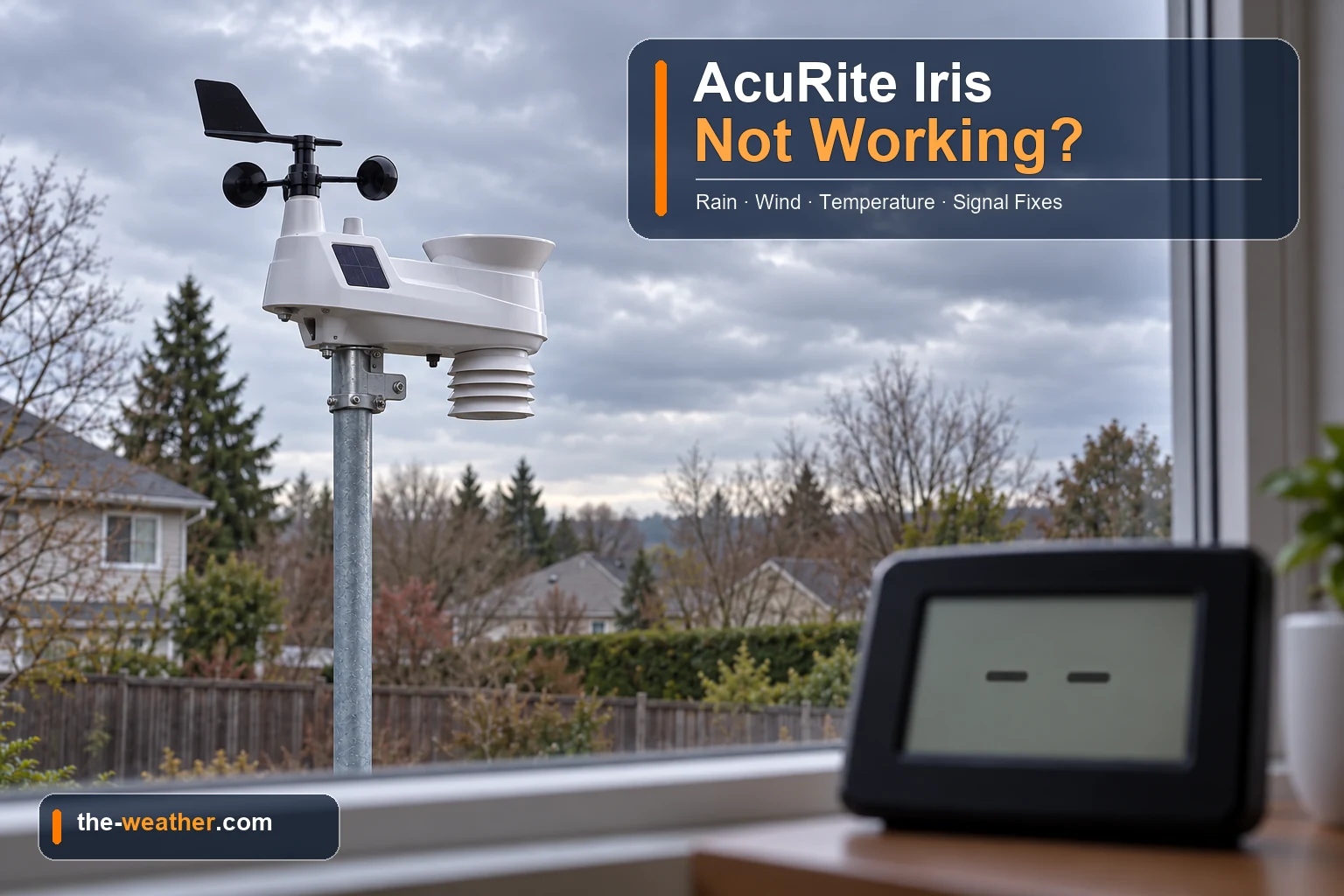
Your AcuRite Iris was happily reporting the weather, and now the display shows dashes, the rain total is stuck at zero, or the outdoor temperature claims it is -40 degrees in July. Before you order a new station: many of these problems have a cause you can check yourself, and AcuRite's own support pages have a fix for each of them.
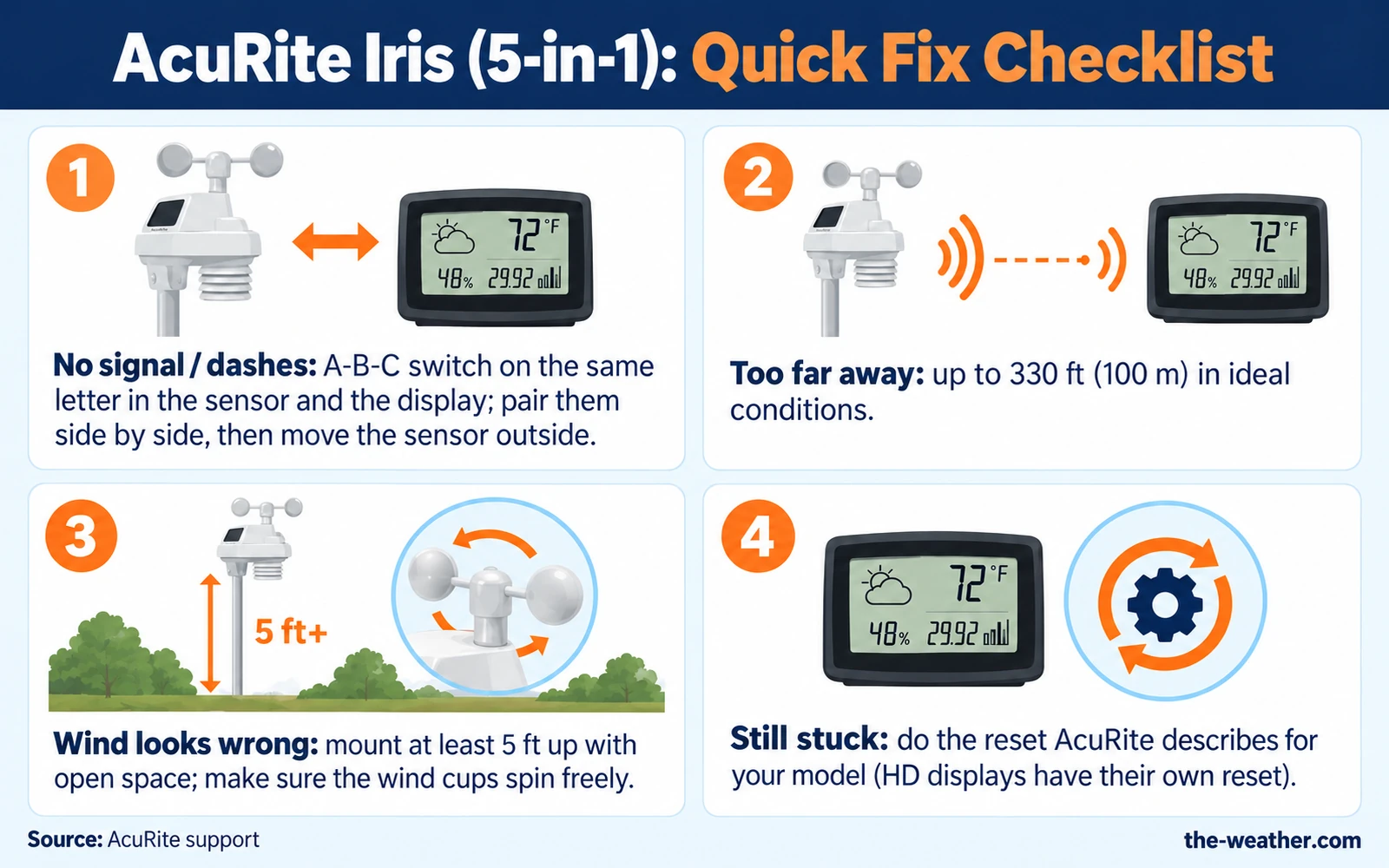
Short answer: start with the connection. Check that the A-B-C switch in the sensor and in the display are set to the same letter, keep the units within range (up to 330 ft in ideal conditions) and at least 3 ft away from electronics, and use fresh 1.5-volt batteries. Then do a hard reset with both units side by side. If one reading is still wrong after that, the fix depends on the symptom: clean the tipping cups for rain, free the wind cups for wind, check the fan or the temperature board for temperature. Source: AcuRite support.
Already know which part is broken?
Browse AcuRite replacement partson Amazon · opens in a new tabIris wind cups: AcuRite 06031RM · Iris replacement sensor: AcuRite 06014MA2BK. Not sure yet? Start with the checks below.
Editorial Research
- Written by
- Lena Thornton, Weather Station Analyst & CWOP Contributor
- Based on
- AcuRite's own support articles for the Iris (5-in-1): reset, HD display reset, no rainfall, rain calibration, inaccurate wind, wind direction, inaccurate temperature or humidity, temperature too high and the wireless signal indicator. We did not test these steps on our own station.
- Research last verified
- October 19, 2026
Find Your Symptom
Pick the line that matches what you see. The sections below explain each fix.
| What you see | Most likely cause | Start here |
|---|---|---|
| Dashes (--) instead of outdoor readings, or outdoor temperature that never changes | The sensor and display lost their wireless connection | No signal |
| Rain stays at 0.00 while it is pouring | Shipping tab still in place, or debris in the tipping cups | No rainfall |
| Rain total is too high or too low | Sensor not level or the rain gauge needs calibrating | Rain total too high or too low |
| Wind speed is zero or much lower than the news says | Mounting height, obstructions, or wind cups that do not spin freely | Wind problems |
| -40° or 158°, or 1% or 99% humidity | An error code from the sensor, often caused by corrosion | Temperature and humidity |
| Temperature too high on sunny days | The small fan inside the sensor is blocked or not spinning | Temperature and humidity |
Based on AcuRite's support articles for the Iris (5-in-1). Before anything else, check which display you have: AcuRite has a separate reset for its High Definition displays, models 06058M, 06088M and 06102M. Those are set up through a menu that opens with the gear button on the front of the display.
No Signal: Dashes or a Frozen Outdoor Reading
AcuRite lists a whole row of symptoms that all come down to one thing: the sensor is not talking to the display. Dashes instead of a temperature, an outdoor reading that does not change, no rain, no wind, -40 degrees or 1% humidity can all start here. So this is the first fix to try, even if only one reading looks wrong.
Check these four things first
About those batteries: AcuRite warns that some rechargeable batteries have a low or uneven voltage that may not power the sensor properly, and that mixing brands or old and new batteries is not recommended. If your sensor went quiet during a cold spell, the batteries are the first thing to look at.
A quick look at the signal icon on the display helps too. AcuRite explains that with only a few bars you may get dashes or inaccurate data, while most or all of the 4 bars means reception is fine.
Re-pair the sensor and display (AcuRite's hard reset)
If the checks above did not help, AcuRite describes this reset. The order matters:
- Bring the sensor and display together and take the batteries out of the outdoor sensor. Watch the signal indicator on the display: it should drop to zero bars.
- Remove the batteries (and power adapter, if used) from the display.
- Set the A-B-C switch on both units to a new, matching letter. If your display has a reset button, press and hold it for 20 seconds.
- Put the batteries back in the outdoor sensor first.
- Then power the display again and, if it has a reset button, hold it for 20 seconds once more.
- Leave the units within a couple of feet of each other for about 5 minutes, or until you see a solid signal.
One detail in this reset is easy to miss: if the display still shows a strong signal after you removed the sensor's batteries in step 1, AcuRite says your display is connected to another sensor nearby. That could be a neighbor's station, or a second AcuRite sensor of your own. Switching both units to a new letter in step 3 is what sorts that out.
One more note from AcuRite: displays that can handle several sensors (such as models 06046M and 06056M) may take several minutes to search each channel before the Iris data appears. Give it time before you try again.
High Definition displays (06058M, 06088M, 06102M)
These have their own reset that runs through the display menu. In short, according to AcuRite: bring both units indoors side by side, take the batteries out of the sensor and switch it to a new A-B-C channel, then use the gear menu on the display to remove the sensor (Sensor, Remove a Sensor) and run a Factory Reset. Set up the display with the on-screen prompts and only then put the batteries back in the sensor. Because a factory reset wipes your settings, follow AcuRite's full HD display reset page step by step.
Still no connection after all this? The AcuRite reset guide compares the different types of reset.
Display fine, but the app or website is not updating? Then the sensor is not the problem: the readings reach your display, but not the internet. That is a Wi-Fi or hub issue, covered in our guide to a weather station that goes offline.
No Rainfall (or Rainfall That Looks Wrong)
If the display is connected but the rain total stays at zero, the problem is usually inside the sensor. The Iris measures rain with a small tipping lever: each time a little bucket fills, it tips, and a magnet passing a switch counts it. Anything that stops the lever from moving stops the count.
Check this first
- The shipping tab. AcuRite puts a plastic tab under the rain collector to protect it in transit. It has to be removed, and it is easy to miss.
- Does the lever move? Drip a little water through the rain collector. You should hear the lever tip.
Clean the tipping cups
AcuRite's cleaning routine, which it also suggests as regular maintenance:
- Open the sensor by removing the four screws on the bottom. Leave the screws toward the center alone: those are the rain calibration screws.
- Remove insects, cobwebs and debris. An old toothbrush helps in the corners.
- Wipe the tipping buckets with a damp cloth (only the buckets, no other internal parts).
- Put a little car wax on a soft cloth and wipe the buckets, so rain flows through smoothly.
- Test it: rock the tipping lever back and forth with your finger about 5 times, wait a minute, and the display should show roughly 0.05 inch.
- Close the sensor with the four screws.
Did you already clean it before and it stopped working afterwards? Then check that the tipping assembly went back in correctly. AcuRite explains that it has two plugs, one silver and one brass. The silver one is the magnet, and it must sit under the long plastic sleeve, because that is where the switch that counts the rain is.
Prefer to watch it once? This YouTube repair video is about a 5-in-1 station that stopped measuring rainfall:
Video: THEMOWERMEDIC1 on YouTube. Not an official AcuRite guide: when in doubt, follow the AcuRite steps above.
Rain total too high or too low
AcuRite says the Iris comes pre-calibrated, so a new sensor does not need this. Start with the basics: is the sensor perfectly level (it has a built-in bubble level)? If it is and the totals still look off, AcuRite's calibration test:
- Put the display close by. Make a pinhole in the bottom of a plastic cup.
- Let exactly 1 cup (8 oz) of water drip into the rain gauge. It should take more than 20 minutes, like a steady rain.
- When the cup is empty, the display should show about 1.06 inch. AcuRite recommends repeating the test a few times before you adjust anything.
- Still off? Turn the two calibration screws on the bottom of the sensor by the same amount: clockwise increases the rainfall reading, counterclockwise decreases it. About 1/8 turn changes it by about 2%, 1/4 turn by 4%, 1/2 turn by 8%.
AcuRite adds that there should be about the same number of drops (typically about 25) between each tip; if not, adjust until it is even and start the test again. Careful if you also own AcuRite's separate wireless rain gauge (00899): its target value and screw direction are different, see our AcuRite rain gauge guide.
Wind Speed Zero or Too Low
Before you blame the station, AcuRite's first question is a good one: what are you comparing it to? Professional stations are typically mounted at 33 feet or higher, and AcuRite advises comparing with a sensor at the same mounting height. A backyard sensor lower down is measuring a different spot.
- Height and space. AcuRite asks for at least 5 feet above the ground with no obstructions within several feet. The National Weather Service recommends 33 feet with nothing within 100 feet for the most accurate wind. AcuRite says it plainly: not everyone can mount that high, and your sensor gives an accurate reading for its own spot, including everything around it.
- Do the cups spin freely? If they hesitate or stop, AcuRite suggests a little lubricant (WD-40 or graphite powder). Remove the screw below the wind cups, spray a small amount into the hole, turn the sensor upside down and back a few times, and put the screw back. No screw? Remove the wind cups if you can and apply the lubricant to the spindle underneath.
- No wind at all? Then AcuRite advises the hard reset from the no signal section (or the HD reset for HD displays).
Wind direction looks backwards? AcuRite reports the direction the wind comes from, the same way weather services do. Its explanation of how the vane reads assumes the solar panel on the sensor faces south, so mount the sensor with the panel facing south.
Wind cups cracked or missing? They can be replaced on their own: the Iris cups are the AcuRite 06031RM on Amazon. See our page on replacement wind cups for the 5-in-1 for which cups fit which sensor.
Temperature or Humidity Looks Wrong
Strange numbers: -40, 158, 1% or 99%
These exact values are not weather, they are error codes. AcuRite says an outdoor reading of -40° or 158°, or 1% or 99% humidity, is reported by the outdoor sensor and is typically caused by corrosion. The order to work through:
- Make sure the sensor and display are away from heat sources, vents and moisture, the sensor is at least 5 feet off the ground, and the display shows 4 full bars.
- Do the hard reset.
- Still there? Open the sensor (the same four screws, not the calibration screws), find the skinny green or black board with black and red wires (the temperature and humidity board) and check it for damage or corrosion.
If the error stays, AcuRite suggests a replacement temperature and humidity board (model 11197). It fits only certain Iris sensors: AcuRite lists models 06004M, 06004RMA1, 06014M, 06014RMA1 and VN1TXCA2, printed on the bottom of the sensor. Our AcuRite replacement sensor guide explains how to check what fits.
Too warm on sunny days
Here is something many owners do not know: the Iris sensor has a small aspirating fan inside. According to AcuRite, it keeps air moving past the temperature sensor so the reading stays accurate when the sun shines on it. If that fan is blocked or stopped, your afternoon temperatures climb.
- When the fan works, you hear a soft hum. Clicking, or a fan you can hear from 10 feet away, is a sign of trouble.
- Open the sensor and look for insects or spider webs. AcuRite says a gentle puff of air clears most blockages.
- Test it in real sunshine: with the top half (the part with the solar panel) in direct, bright sun, the fan should start by itself. A flashlight does not count, and an overcast day may not be bright enough.
If the fan does not spin in full sun, AcuRite suggests a replacement wind cup assembly, and links to the PRO+ upgrade for the single-solar-panel Iris sensor (model 06004M). We looked at that upgrade in our Iris PRO+ review.
And the simple one, before you open anything: is the sensor in the sun next to a wall, a roof or a driveway? A sensor that bakes next to the house reads the house, not the weather. Our guide on indoor versus outdoor temperature has more on placement.
Need a part instead of a fix?
Browse AcuRite replacement partson Amazon · opens in a new tabNot sure which part fits? Check our replacement sensor guide and the AcuRite replacement parts overview first.
When to Contact AcuRite
If you worked through the steps for your symptom and it still does not work, AcuRite asks you to contact its U.S.-based support by submitting a request or through live chat, and to reply to your last email if you already have an open ticket. Have the model numbers of your sensor (printed on the bottom) and your display ready: they decide which fix or part applies. If your station is still under warranty, contact AcuRite before you buy any part.
Thinking about replacing the whole station instead? Read our AcuRite Iris review first, or see how it compares in Notos vs Iris.
AcuRite Iris Troubleshooting FAQ
Why does my AcuRite Iris display show dashes?
Dashes mean the display is not receiving data from the sensor. AcuRite's checklist: the same A-B-C letter in both units, within range (up to 330 ft in ideal conditions), at least 3 ft from electronics, and fresh 1.5-volt batteries. Then do the hard reset with both units side by side.
Why does my AcuRite show -40 degrees?
AcuRite says an outdoor reading of -40° or 158° (and 1% or 99% humidity) is an error code from the outdoor sensor, typically caused by corrosion. Do a reset first; if it stays, check the temperature and humidity board inside the sensor.
Why is my AcuRite Iris not recording rain?
Check that the shipping tab under the rain collector was removed, then drip some water in and listen for the tipping lever. If it does not tip or count, clean the tipping cups as AcuRite describes and test by rocking the lever about 5 times: the display should show roughly 0.05 inch.
Why is my wind speed lower than the weather report?
AcuRite says professional stations are typically mounted at 33 feet or higher, and advises comparing with a sensor at the same height. Your sensor gives an accurate reading for its own spot, including its surroundings. AcuRite recommends at least 5 feet with no obstructions within several feet.
What batteries should I use in the AcuRite Iris sensor?
AcuRite says fresh batteries with a nominal voltage of 1.5 volts, not mixed, and lithium batteries where temperatures can drop below -4°F (-20°C). Some rechargeable batteries have a voltage that is too low or uneven.
Update Log
- October 19, 2026: Page published. All steps checked against the AcuRite support articles listed below (dates of those articles range from February 2023 to January 2026).
Sources
- AcuRite: Iris (5-in-1) Reset
- AcuRite: Iris (5-in-1) High Definition Display Reset
- AcuRite: Iris (5-in-1) No Rainfall
- AcuRite: Iris (5-in-1) Rain Calibration
- AcuRite: Iris (5-in-1) Inaccurate Wind Readings
- AcuRite: Wind Direction
- AcuRite: Iris (5-in-1) Shows Inaccurate Temperature or Humidity
- AcuRite: Iris (5-in-1) Temperature Reading Too High
- AcuRite: Is My Iris (5-in-1) Compatible with the Replacement Temperature and Humidity Board?
- AcuRite: Wireless Signal Reception Indicator
See also: AcuRite weather stations · AcuRite reset guide · AcuRite rain gauge fixes · Which AcuRite sensor fits