As an Amazon Associate, I earn from qualifying purchases.
In this article 9 sections
- What a S.A.M.E. Code Is
- How to Find Your S.A.M.E. Code
- Step-by-Step: How to Program a S.A.M.E. Code
- Programming by Brand
- Single County vs Multiple Counties
- How to Verify Your S.A.M.E. Code Is Working
- Troubleshooting Common S.A.M.E. Programming Problems
- Video: How to Program SAME Codes
- Frequently Asked Questions
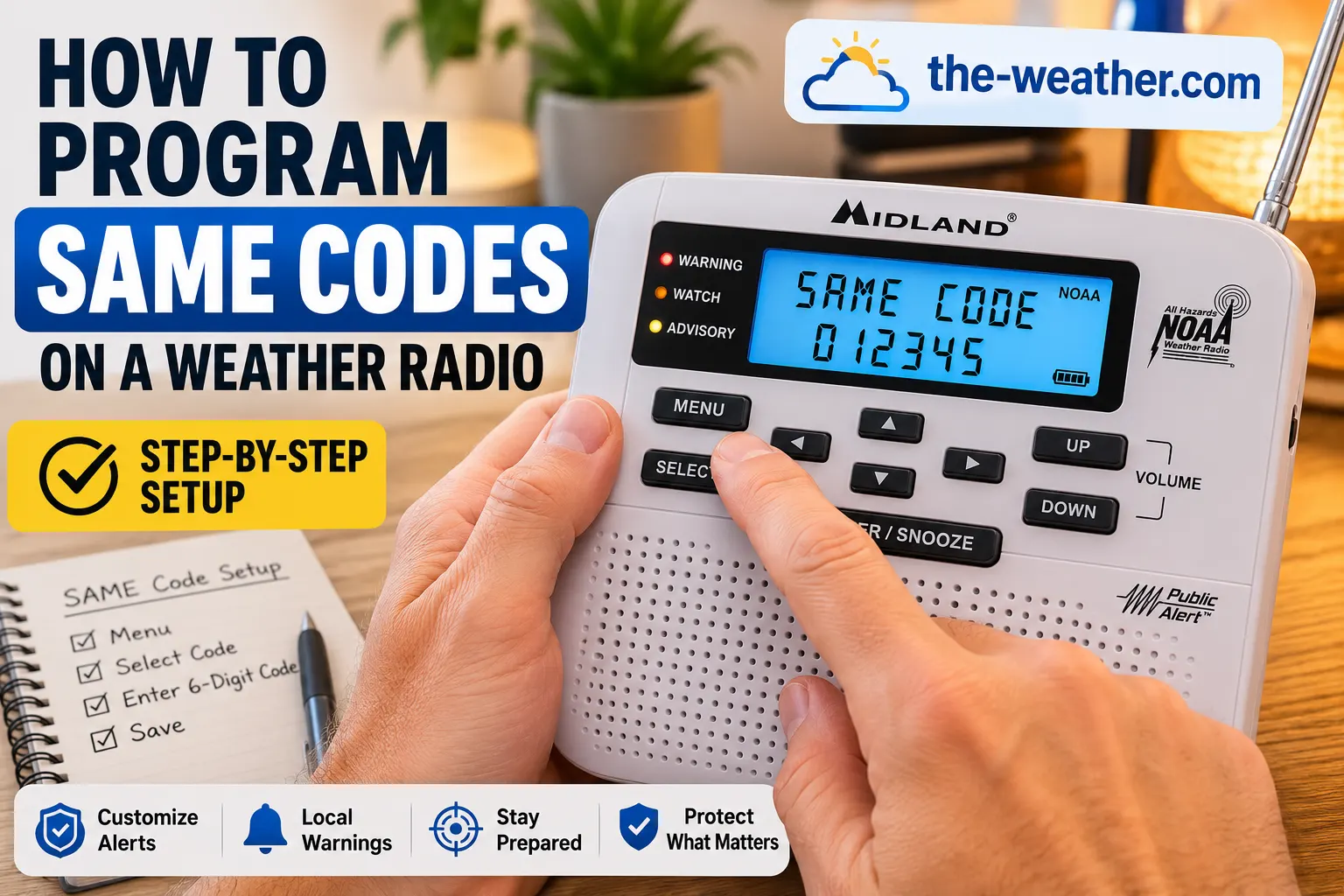
A S.A.M.E. code (Specific Area Message Encoding) is a 6-digit number that identifies your county in the NOAA weather alert system. When programmed into a weather radio, it acts as a filter: the alarm only sounds for alerts affecting your specific county rather than every county within the transmitter's broadcast range, which can cover dozens of counties.
Without a S.A.M.E. code, a weather radio in Houston might wake you up for tornado warnings in counties 200 miles away. With your county code programmed, the alarm only activates when your area is directly affected. This is the single most important setup step for any NOAA weather radio, and it takes less than 10 minutes.

Lena Thornton: Weather Station Analyst & CWOP Contributor
Specifications verified against official documentation
At a Glance
Live in Houston or Southeast Texas? County codes, local NOAA transmitters and a 5-step setup: weather alert radio for Houston and Southeast Texas flooding.
What a S.A.M.E. Code Is
S.A.M.E. stands for Specific Area Message Encoding. It is a system built into the NOAA Weather Radio All Hazards network that allows alert broadcasts to be tagged with geographic codes identifying which counties or areas a specific alert applies to. Your weather radio reads these codes on incoming broadcasts and compares them to whatever codes you have programmed in, if there is a match, the alarm activates. If there is no match, the broadcast is received silently.
The codes themselves are based on FIPS (Federal Information Processing Standards) county codes. Every county in the United States has a unique 6-digit code. The first digit is always 0 for standard county codes. The next two digits identify the state. The final three digits identify the specific county within that state.
Without S.A.M.E. Code
Your radio alarm sounds for every weather alert broadcast by the NOAA transmitter serving your area. A single transmitter covers dozens of counties. You receive alerts at 3 a.m. for storms 150 miles away. Alert fatigue sets in and people turn the alarm off entirely.
With S.A.M.E. Code Programmed
Your radio alarm only activates for alerts that include your county code. When it goes off at 3 a.m., it is always relevant to you. You pay attention to it because you know it means something is happening in your area specifically.
Live in Alaska? See the list of NOAA Weather Radio stations in Alaska.
How to Find Your S.A.M.E. Code
The official source for all S.A.M.E. county codes is the National Weather Service database. There are two ways to find your code:
Quickest way: our SAME code lookup shows the code for your county and the transmitters that cover it, copied from that same Weather Service list. It is one of our free weather tools.
Two Ways to Look Up Your Code
Texas
County
Harris
SAME Code
048201
Illinois
County
Cook
SAME Code
017031
California
County
Los Angeles
SAME Code
006037
Write the code down first. Most radios require you to enter each digit individually using arrow keys. Having your 6-digit code written on paper in front of you before you start makes the process significantly faster and avoids entry errors.
On the Gulf Coast between Hancock County, Mississippi, and Franklin County, Florida? We list the SAME codes and NOAA Weather Radio transmitters for twelve Gulf Coast counties, with a lookup from town to county.
Step-by-Step: How to Program a S.A.M.E. Code
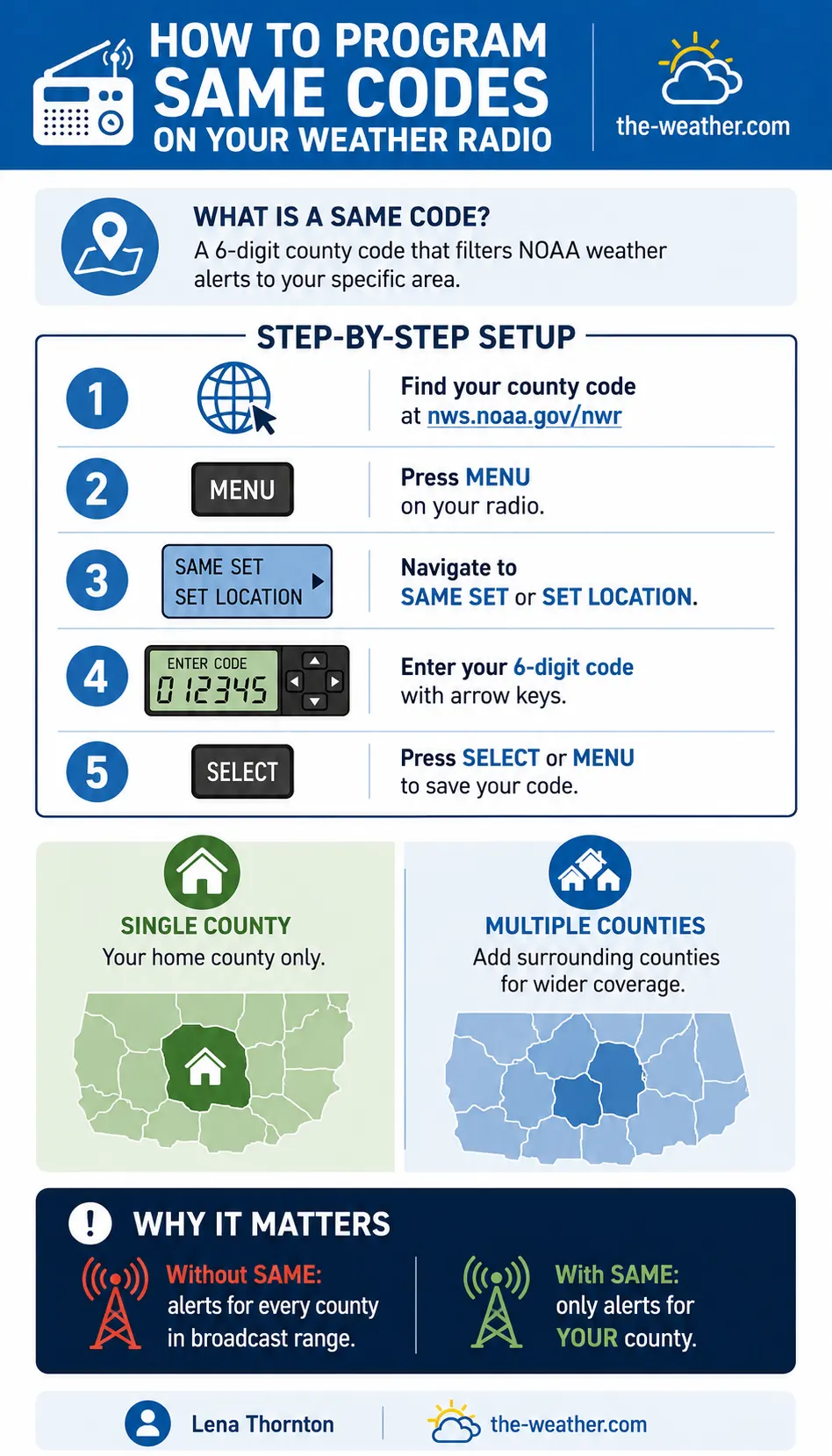
These steps apply to most NOAA weather radios with S.A.M.E. capability. The exact button labels and menu names vary by brand and model: see the brand-specific instructions below if these steps do not match your display.
Find and write down your 6-digit S.A.M.E. code 30 seconds
Look up your county at weather.gov/nwr/counties and note the 6-digit FIPS code. Have it written in front of you before touching the radio.
Press the MENU button on your radio 15 seconds
This opens the main settings menu. On most radios the display will shift from showing time or current conditions to showing a menu list you can scroll through.
Navigate to SAME SET, SET LOCATION, or PROGRAM 30 seconds
Use the up or down arrow keys to scroll through the menu. Look for an option labeled SAME SET, SET LOCATION, FIPS, or PROGRAM. Press SELECT or MENU to enter it.
Select SINGLE or MULTIPLE county mode 15 seconds
Most radios offer two modes. SINGLE programs one county code. MULTIPLE allows you to add several codes (typically up to 25) to receive alerts from your county and surrounding counties.
Enter your 6-digit code using the arrow keys 2–3 minutes
The display will show a cursor on the first digit. Use the up or down arrow to cycle through numbers 0–9 and select the correct digit. Press the right arrow to move to the next digit. Repeat for all 6 digits.
Press SELECT or MENU to save 10 seconds
Once all 6 digits are entered, press SELECT or MENU to confirm and save the code. The radio should return to the main menu or normal operation. Your S.A.M.E. code is now active.
Programming by Brand
The general steps above apply to most radios, but button labels differ between manufacturers. Select your brand below for the specific sequence.
Midland WR120 (WR120B), from its 2024 owner's manual
The WR400 uses its own setup mode and menus. Midland's product pages for its crank radios (ER310, ER210, ER40, ER310PRO) do not mention SAME.
For full instructions, see our Midland programming guide or consult the Midland support page for your specific model manual.
Uniden Weather Radios (BC75XLT, BC125AT, Bearcat series)
Button labels vary by model. Consult the Uniden support page for your specific model manual.
Eton / Grundig Weather Radios
Consult the Eton support page for your specific model manual.
Other / Generic NOAA Weather Radios
If your radio's menu does not match any of the above, consult your printed manual. The S.A.M.E. programming section is typically listed under "Alert Setup" or "Location Setup."
Single County vs Multiple Counties
Single County
Recommended for most usersPrograms one county code. Alerts only for events in your home county. Best for most households: reduces unnecessary alarms while catching everything that directly affects you.
Multiple Counties
For commuters and rural residentsPrograms up to 25 county codes. Useful if you regularly commute through neighboring counties, have family nearby, or live near a county border where weather events frequently cross county lines.
Do not add too many counties. Adding all surrounding counties defeats the purpose of S.A.M.E. filtering. Stick to your home county plus any counties where you or immediate family members spend significant time.
How to Verify Your S.A.M.E. Code Is Working
After programming, confirm the code was saved correctly before relying on it during an actual emergency.
Three Ways to Test
Troubleshooting Common S.A.M.E. Programming Problems
Radio is still alarming for counties that are not mine
The most likely cause is that the S.A.M.E. code was not saved correctly, or the radio is still in ALL COUNTIES mode rather than SAME mode. Check the alert mode setting in your menu: it may need to be switched from ALL to SAME or COUNTY.
Radio is not alarming for weather events in my county
Either the wrong county code was entered, or the radio is not receiving the NOAA signal clearly enough to decode the S.A.M.E. header. A weak signal can cause the radio to miss alert codes even when it appears to be receiving audio.
Cannot find the SAME SET option in the menu
Not all weather radios have S.A.M.E. capability. Basic models receive all alerts without filtering. Check your radio's manual or product page to confirm it has S.A.M.E. support before assuming you have missed a menu option.
Code resets after replacing batteries
Some older or budget weather radios do not retain programmed S.A.M.E. codes when power is removed. This is a hardware limitation: the radio does not have non-volatile memory for settings storage.
Code entered correctly, but the radio still hisses or stays silent? Then the problem may be the transmitter or the reception, not the code. We go through it step by step in NOAA weather radio off the air or not alerting: what to check.
Video: How to Program SAME Codes
Frequently Asked Questions
What is a SAME code?
A S.A.M.E. code (Specific Area Message Encoding) is a 6-digit number identifying a specific county in the US. When programmed into a NOAA weather radio, it filters alerts so the alarm only sounds for events in your county rather than every county in the transmitter's range.
Where do I find my SAME code?
The official source is the National Weather Service database at weather.gov/nwr/counties. Find your state, then your county, and note the 6-digit FIPS code. Your radio's manual may also include a printed code list.
How do I program my Midland weather radio?
On the Midland WR120 (WR120B): press MENU, scroll to SET LOCATION, choose SINGLE or MULTIPLE, then pick your country, state and county from the lists (or press the right arrow to type the 6-digit code), and press MENU to exit. The WR400 has its own setup menu. Every step for both models: how to program a Midland weather radio.
How many SAME codes can I program?
Most S.A.M.E.-capable radios allow between 1 and 25 county codes. The typical recommendation is your home county plus any immediately surrounding counties you regularly travel through.
Why is my weather radio not alerting for my county?
The most common causes are an incorrectly entered code, the radio still in ALL COUNTIES mode rather than SAME mode, or a weak NOAA signal that prevents the S.A.M.E. header from being decoded. Verify your code, re-enter it, and check your signal strength on the current NOAA channel.
Do I need to reprogram SAME codes if I move?
Yes. S.A.M.E. codes are county-specific. If you move to a different county, look up your new county code and reprogram the radio. Most radios also allow you to delete old codes from the stored list.