Product covered in this analysis
AcuRite Weather Station Replacement Parts
See today’s price, delivery options and customer reviews on Amazon.
As an Amazon Associate, I earn from qualifying purchases.In this article 9 sections
- Find Your AcuRite Model Number Before Ordering
- Which Part Fits Which AcuRite Sensor
- AcuRite Iris vs Atlas: Are the Parts Compatible?
- Repair the Part or Replace the Station?
- Diagnosing Which AcuRite Part Has Failed
- Where to Buy AcuRite Replacement Parts
- Common Mistakes When Ordering AcuRite Parts
- Make Your Parts Last: AcuRite's Care Tips
- Frequently Asked Questions
AcuRite Weather Station Replacement Parts: What to Buy and Where

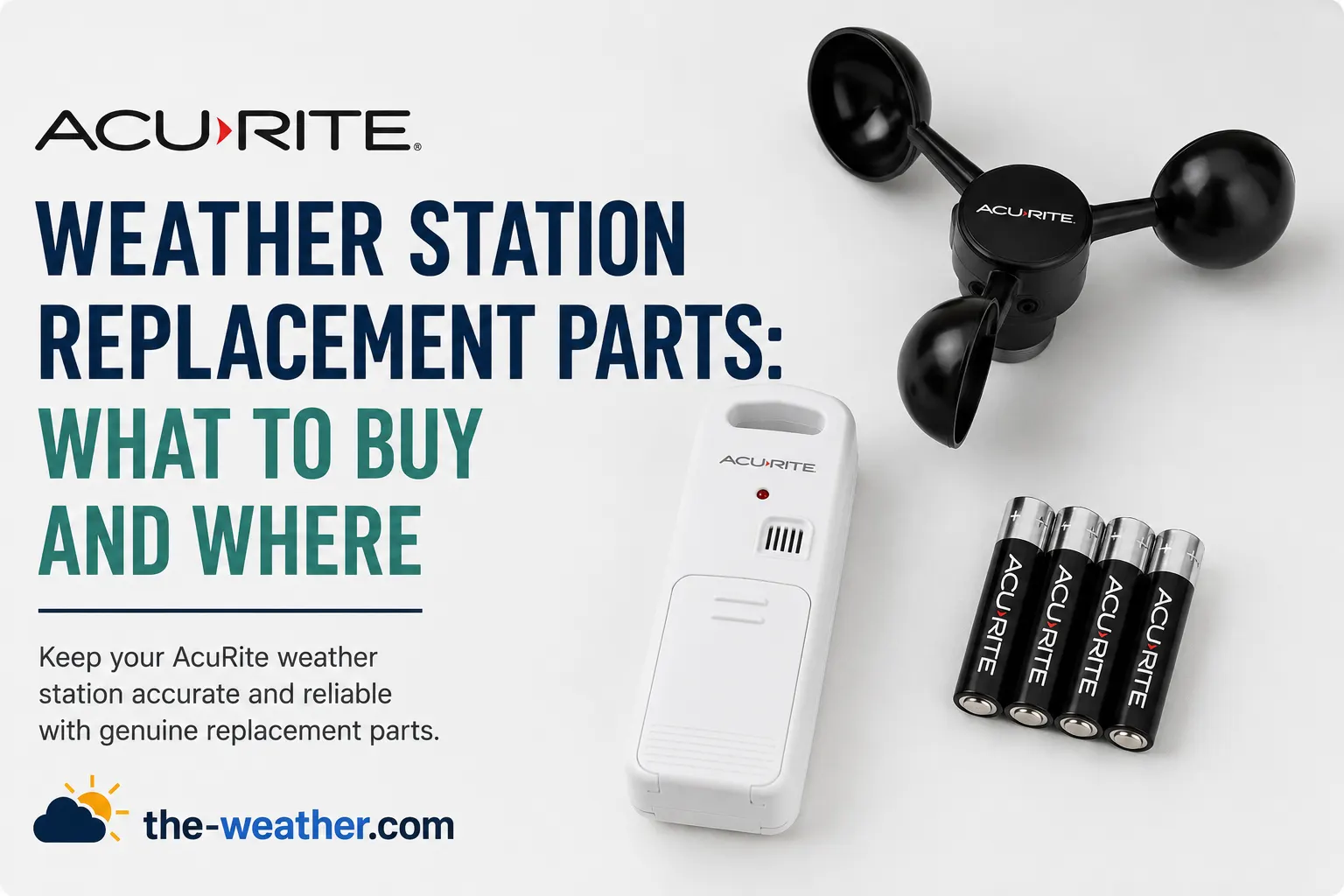
A broken AcuRite station does not always mean a new station. AcuRite sells many parts separately: complete outdoor sensors, wind cups, wind vanes, temperature and humidity boards, brackets and power adapters. The trick is ordering the one that fits your model, because AcuRite has a lot of models.
This guide shows which part fits which AcuRite sensor line, how to find your model number, and how to avoid the most common ordering mistakes. Everything comes from AcuRite's own support pages and manuals.
Find the 5-digit model number of your indoor display, then look up that model on AcuRite's support site: each display has a "Replaceable Parts" list with the exact replacement sensor, wind cups, adapter and other parts. The big three sensor lines use different parts: Notos (3-in-1), Iris (5-in-1) and Atlas (7-in-1). One exception AcuRite lists: the Iris and the Atlas use the same mounting bracket, 11180-5N1MB.
Find Your AcuRite Model Number Before Ordering
AcuRite explains that two numbers matter. The 5-digit model number of the indoor display gets you to the right product page, manual and parts list. The sensor model number confirms whether a replacement part fits. Where to look, according to AcuRite:
| Device | Where the model number is |
|---|---|
| LCD display | On the back or the bottom. Not there? Remove the display stand and check the bottom of the display. |
| HD or Wi-Fi display | On the back. A number that starts with 24:C8:6E is the device ID for online registration, not the model number. |
| Iris sensor | For the temperature board check, AcuRite points to the model number printed into the plastic on the bottom of the sensor |
| AcuRite Access | On the bottom of the unit |
Source: AcuRite support, "Where Can I Find My Model Number?" and the Iris temperature and humidity board article, checked October 19, 2026.
Which Part Fits Which AcuRite Sensor
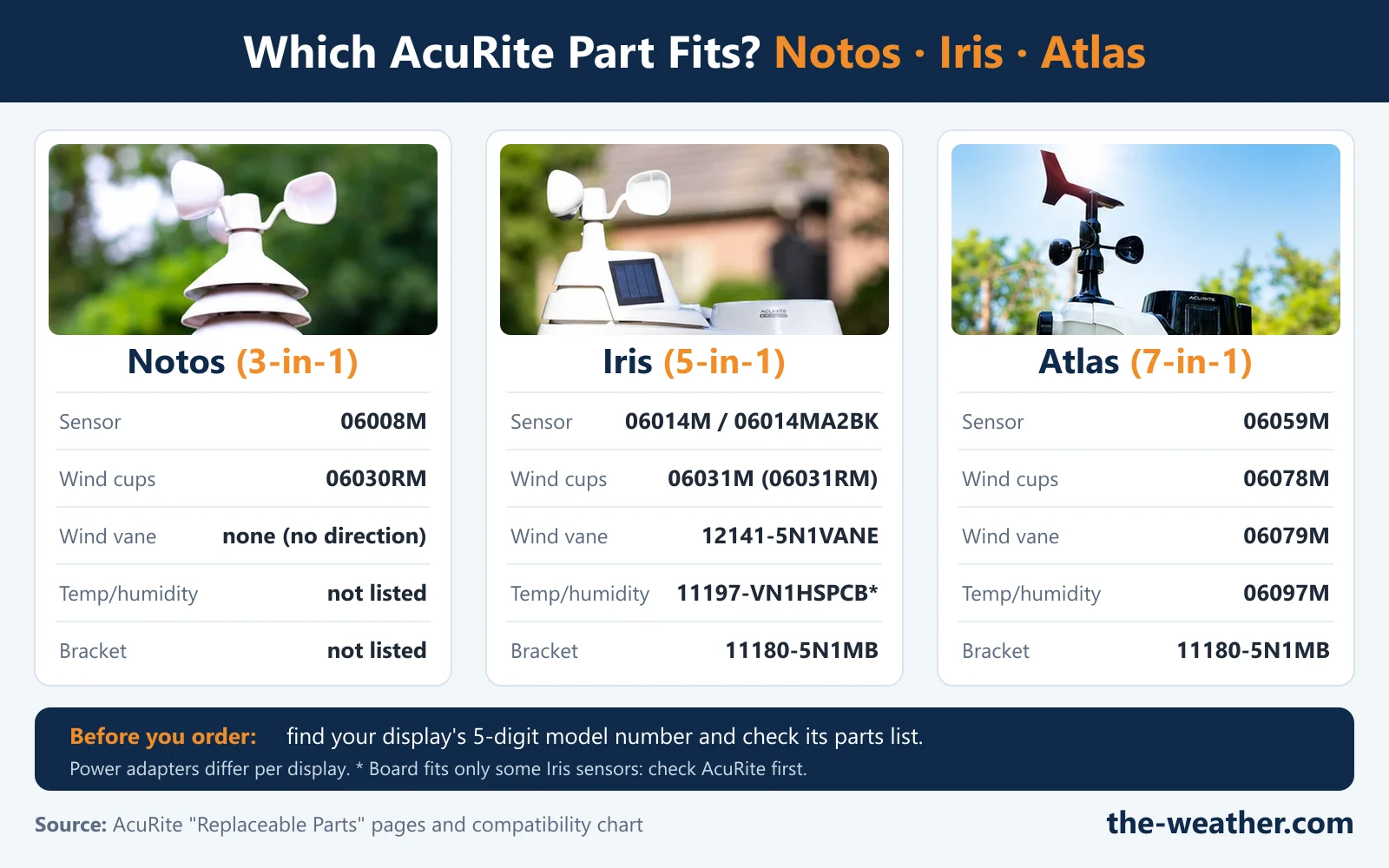
These are the part numbers AcuRite lists on its "Replaceable Parts" pages for the three main sensor lines:
| Part | Notos (3-in-1) | Iris (5-in-1) | Atlas (7-in-1) |
|---|---|---|---|
| Complete outdoor sensor | 06008M | 06014M (AcuRite's current compatibility chart lists 06014MA2BK) | 06059M |
| Wind cups | 06030RM | 06031M on the parts pages, sold as 06031RM | 06078M |
| Wind cup or wind assembly | Not listed | 12123-5N1WCBSA (wind cup assembly) | 06094M (wind assembly) |
| Wind vane | None: the Notos does not measure wind direction | 12141-5N1VANE | 06079M |
| Temperature and humidity | Not listed | Board 11197-VN1HSPCB, only for some sensors (see below) | 06097M |
| Mounting bracket | Not listed | 11180-5N1MB | 11180-5N1MB |
| Add-ons | None listed | PRO+ solar panel upgrade 06003M; lightning detector 06045M with Iris lightning displays | None listed on the 06061 page |
Sources: AcuRite support parts pages for Notos displays 00589, 00634, 00639 and 01607; Iris displays 01538, 01602, 06057, 02032, 01524 and 01210; Atlas display 06061; AcuRite compatibility charts. Checked October 19, 2026. Not every display page lists every part, so always check the page for your own display.
Iris temperature and humidity board: AcuRite says older Iris sensors may not be compatible with board 11197-VN1HSPCB, and lists the sensors it fits: 06004M, 06004RMA1, 06014M, 06014RMA1 and VN1TXCA2. AcuRite also asks you to check the board inside your sensor before you order. Our Iris troubleshooting guide explains when the board is the likely culprit.
PRO+ upgrade: AcuRite's manual describes it as an add-on for the single-solar-panel Iris sensor (06004M), installed with screws. Details in our PRO+ review.
Power adapters differ per display
There is no single AcuRite adapter. AcuRite's parts pages list different adapters for different displays, and some displays have none available:
| Adapter (per AcuRite) | Listed for display models such as |
|---|---|
| 11202-5V250MA (Power Adapter #1) | Notos 00589; Iris 06057/01528 and 01524 |
| 11175-WTHRCAD (Power Adapter #8) | Iris 01602; Notos 01607 |
| 11187-2032AD (Power Adapter #7) | Iris 02032 |
| 11174-2028AD (Power Adapter #7) | Iris PC Connect 02064 |
| 11193-1610ADPT (Power Adapter #2) | Atlas HD display 06061 |
| Not available | Iris 01538 |
Simple temperature sensors look alike, but are not the same
AcuRite warns that its small "tower" sensors look alike but do not work with the same displays. The A-B-C switch in the battery compartment is the clue: the 06002M has the switch and needs a display with one; the 11112-609TXC (temperature and humidity) does not work with displays that have the switch; the 06009RMA1 gives outdoor temperature only. Our AcuRite replacement sensor guide walks you through it.
Check that the part number on the Amazon listing matches the number on your display's AcuRite parts list before you buy.
AcuRite Iris vs Atlas: Are the Parts Compatible?
Mostly no. On AcuRite's parts pages the Iris and the Atlas have their own outdoor sensor, wind cups, wind vane and temperature and humidity part, each with a different number. AcuRite's compatibility chart also pairs each replacement sensor with its own displays. The one shared part we found: both lines list the same mounting bracket, 11180-5N1MB.
In practice that means: an Iris sensor will not replace an Atlas sensor on an Atlas display, and the other way round. If you are thinking about switching lines, you are buying a new station, not a part. Our Atlas review and Iris review cover what each line measures.
Repair the Part or Replace the Station?
In our view, work from small to big. Most "broken" sensors turn out to be a connection problem, and AcuRite's own troubleshooting starts there too:
- Batteries and connection first. Fresh batteries, the same A-B-C letter on both units, within range and 3 ft from electronics, then AcuRite's hard reset. See our AcuRite reset guide.
- Then the small part. Wind cups that do not spin or a faulty Iris temperature board can be replaced on their own. (A rain gauge that stops counting usually needs cleaning, not a part.)
- Then the complete sensor. If the sensor itself has failed, a replacement sensor that matches your display keeps your display in use.
- A new station makes sense when the display has failed and AcuRite lists no replacement display for your model, or when you want something your line does not measure (rain on a Notos, UV on an Iris).
Diagnosing Which AcuRite Part Has Failed
| Symptom | What AcuRite points to | Before you buy a part |
|---|---|---|
| Dashes or no outdoor reading | Sensor and display lost their connection | A-B-C letters, distance, batteries, then the hard reset |
| Wind speed zero or too low | Mounting height, obstructions, cups that do not spin freely | Compare at the same height; AcuRite suggests graphite powder or a spray lubricant; then the wind cups |
| Iris shows -40°, 158°, 1% or 99% | Error code, often linked to the temperature and humidity board | Reset first, then check the board and whether 11197-VN1HSPCB fits your sensor |
| Iris reads too warm in the sun | The internal fan is blocked or not running | Clear the fan; see our Iris troubleshooting guide |
| No rainfall | Debris in the tipping cups (Iris and Atlas); on a new Iris, the stabilizer tab | Clean the tipping cups; see our AcuRite rain gauge guide |
| Atlas not connecting | Connection or power | See our Atlas connection guide |
Where to Buy AcuRite Replacement Parts
| Where | Good for | Good to know |
|---|---|---|
| AcuRite support (support.acurite.com) | The parts list for your display | Search your display's model number to find its "Replaceable Parts" page |
| AcuRite store (acurite.com) | Official parts and add-ons | Has a Replacement Parts and a Replacement Sensors section |
| Amazon | Common parts such as sensors and wind cups | Match the part number on the listing with AcuRite's list |
| Secondhand marketplaces | Discontinued models | In our view a last resort: check the exact part number and the condition |
Common Mistakes When Ordering AcuRite Parts
- Ordering by product line instead of model number. Parts lists are per display model, and even within one line the adapter can differ.
- Mixing up Iris and Atlas parts. Apart from the 11180-5N1MB bracket, AcuRite lists different numbers.
- Picking a tower sensor by looks. AcuRite says they look alike but are not compatible with the same displays: check the A-B-C switch.
- Buying the Iris temperature board for an older sensor. AcuRite says older units may not be compatible: check its list first.
- Assuming any adapter will do. AcuRite lists several different adapters, and none at all for some displays.
- Wrong batteries. AcuRite's manuals advise against heavy duty and rechargeable batteries, and recommend lithium in outdoor sensors below -4°F (-20°C).
Make Your Parts Last: AcuRite's Care Tips
AcuRite's care advice for its outdoor sensors (from the Notos manual and AcuRite's sensor support pages) is simple: clean the housing with a soft, damp cloth (no harsh cleaners), spray a household insect repellent on the outside of the housing only to keep insects from nesting, keep the wind cups free of debris, and use a little lubricant if they get stiff. The Notos manual adds that its sensor is designed to stay outdoors all year.
Frequently Asked Questions
Where can I buy AcuRite weather station replacement parts?
From AcuRite's own store, which has Replacement Parts and Replacement Sensors sections, and from Amazon. First look up your display's "Replaceable Parts" page on AcuRite's support site, so you know the exact part number to look for.
Are AcuRite Iris and Atlas replacement parts compatible?
Mostly not. AcuRite lists different numbers for the sensor, wind cups, wind vane and temperature and humidity part. The mounting bracket 11180-5N1MB is listed for both lines.
What batteries does an AcuRite outdoor sensor use?
It depends on the sensor. The Iris (5-in-1) and Notos (3-in-1) sensors take 4 AA batteries, according to AcuRite. AcuRite recommends lithium batteries below -4°F (-20°C) and advises against heavy duty and rechargeable batteries.
What is the AcuRite PRO+ upgrade?
An add-on with an extra solar panel for the single-panel Iris sensor (06004M), part number 06003M. AcuRite's manual says it lets the sensor's fan run more often, and it is installed with screws.
Which replacement wind cups fit my AcuRite?
AcuRite lists 06030RM for the Notos (3-in-1), 06031M (sold as 06031RM) for the Iris (5-in-1) and 06078M for the Atlas (7-in-1).
Can I replace just the outdoor sensor on my AcuRite station?
Yes, if AcuRite lists a replacement sensor for your display. Notos displays use 06008M, Iris displays 06014M (06014MA2BK in the current chart) and the Atlas display 06059M, according to AcuRite's parts pages.
Sources
AcuRite support: Where can I find my model number?, Iris temperature and humidity board compatibility; "Replaceable Parts" pages for Atlas 06061, Iris 01538, Iris 01602, Iris 06057, Iris 02032, Iris 01524, Iris 01210 (lightning), Iris PC Connect 02064, Notos 00589, Notos 00634, Notos 00639, Notos 01607; Atlas temperature and humidity sensor replacement; troubleshooting: Iris inaccurate temperature or humidity, Iris temperature reading too high, Iris no rainfall, Atlas no rainfall, Notos inaccurate wind readings, Notos reset, Notos sensor installation and care. AcuRite compatibility charts. Manuals: Iris sensor 06014M, Notos 00589M, Iris PRO+ add-on (06003RM). Checked October 19, 2026. We did not test these parts ourselves. No manufacturer compensation was received.
Lena Thornton
Weather Station Analyst and CWOP Contributor. Lena has researched, reviewed and analysed weather stations and instruments for over a decade. She contributes observation data to the Citizen Weather Observer Program (CWOP).
Ready to decide?
Get the AcuRite Weather Station Replacement Parts
Prices and stock change daily. Check the current price, delivery options and what owners say in their reviews.
In this reviewAcuRite Weather Station Replacement PartsToday's price, delivery & owner reviews on Amazon
Check on Amazon →