As an Amazon Associate, I earn from qualifying purchases.
In this article 8 sections
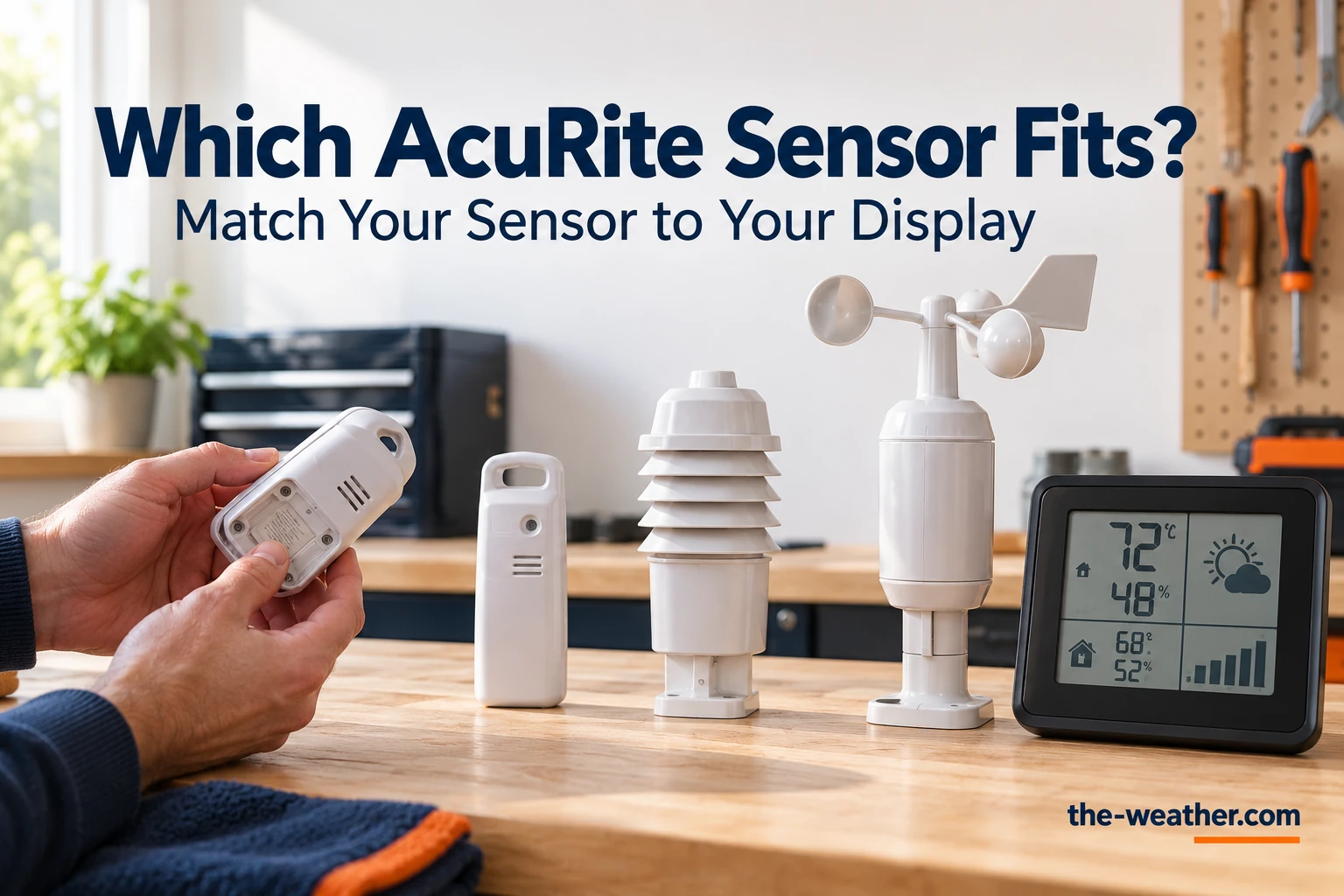
Your outdoor sensor died, cracked or simply disappeared in a storm, and the display inside is still fine. Good news: with AcuRite you can usually replace just the sensor. The catch is that AcuRite makes a lot of sensors that look alike, and the wrong one simply will not connect. Here is how to pick the right one in two steps, based on AcuRite's own compatibility charts.
Short answer: a replacement sensor has to come from the same product line as your display. Find the model numbers of your sensor (on the Iris it is on the bottom) and your display, and match them with AcuRite's chart. For weather stations, AcuRite lists these replacement sensors: Iris (5-in-1) 06014MA2BK, Atlas (7-in-1) 06059M, Optimus 06050M and Notos (3-in-1) 06008M. For simple thermometer sensors, the A-B-C switch in the battery compartment decides it: with a switch it is usually the 06002M. Source: AcuRite compatibility charts.
Iris owner? The current replacement sensor
AcuRite Iris sensor 06014MA2BKon Amazon · opens in a new tabThermometer sensor with an A-B-C switch: AcuRite 06002M. Check your model number in the steps below before you buy.
Editorial Research
- Written by
- Lena Thornton, Weather Station Analyst & CWOP Contributor
- Based on
- AcuRite's compatibility charts on acurite.com and AcuRite support articles on the Iris temperature and humidity board, extra sensors on Iris displays and the Iris reset. Model numbers copied from those pages; we did not test the combinations ourselves.
- Research last verified
- October 19, 2026
Step 1: Find Your Model Number
Everything starts here. AcuRite prints the model number into the plastic on the bottom of the Iris sensor. Write down the number of your display too: the charts below are organized by display. Two tips:
- Do not go by looks. AcuRite's own support page on the Iris temperature board shows that sensors that look the same on the outside can have different parts inside. The number decides, not the shape.
- A set number is not a sensor number. The number on the box of a complete set is not the number of the sensor inside. AcuRite's support page for the 01014M (AcuRite Access with Iris 5-in-1 sensor), for example, lists 06014M as the replacement sensor.
Lost the sensor completely? Then the display's model number is enough to find the right line in the charts below.
Step 2: Match It (Weather Station Sensors)
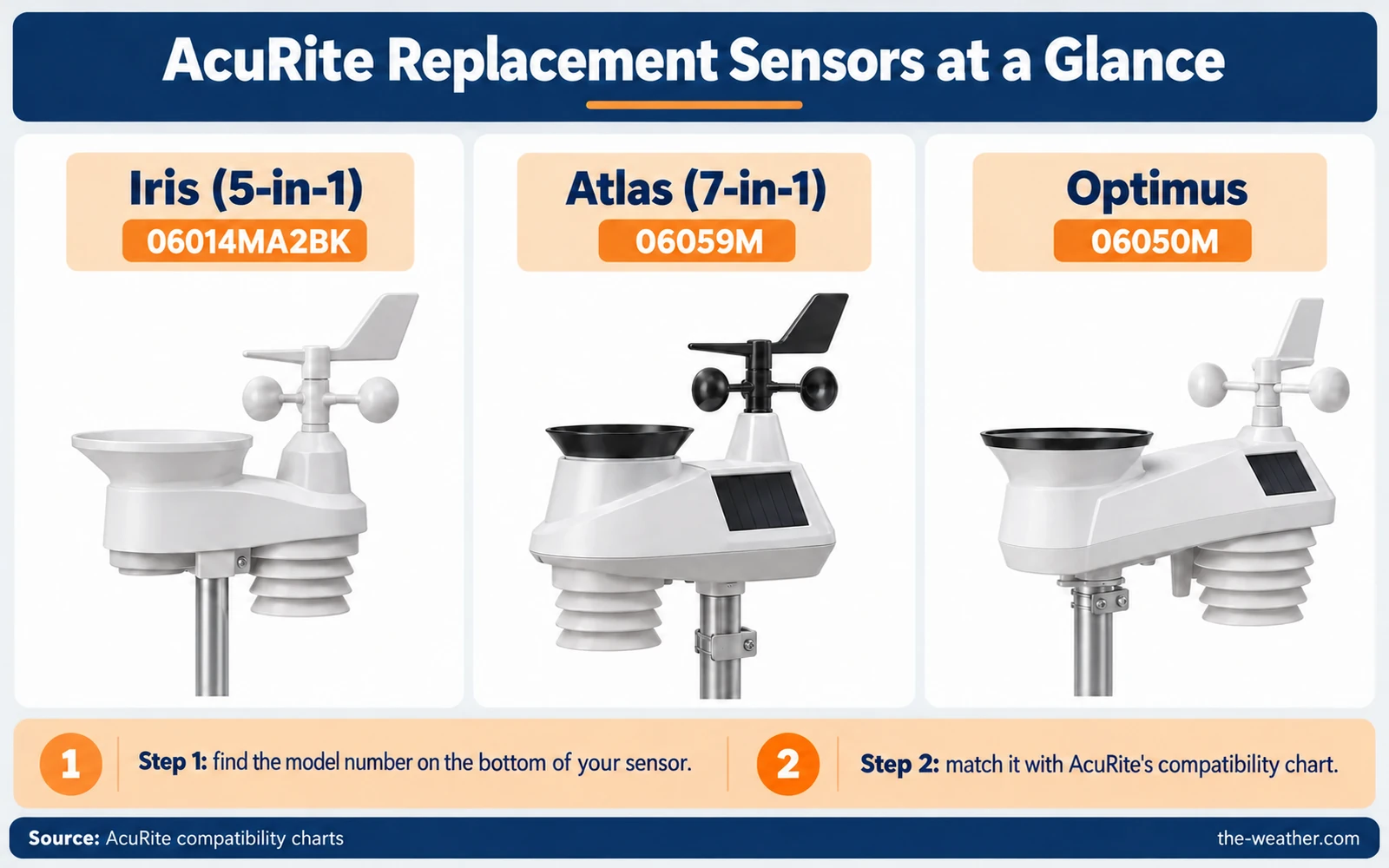
For the all-in-one weather sensors, AcuRite's rule is simple: the sensor and display must belong to the same line. An Atlas sensor will not talk to an Iris display, and the other way around.
| Line | Replacement sensor | Works with these displays (per AcuRite) |
|---|---|---|
| Iris (5-in-1) | 06014MA2BK (dual solar panel) | Wi-Fi: 06100M, 06101M, 06103M, 06102M, 06088M. Without Wi-Fi: 06090M, 06095M, 06096M, 06016M, 06022M, 06106M, 06058M. For lightning data, the HD displays 06058M, 06088M and 06102M also need the 06045M lightning detection sensor. |
| Atlas (7-in-1) | 06059M | 06099M (direct-to-Wi-Fi), 06104M (HD, white), 06105M (HD, gray) |
| Optimus | 06050M | Wi-Fi: 06188M (HD), 06189M (LCD, black), 06190M (Sportsman) |
| Notos (3-in-1) | 06008M | Not sold separately: AcuRite asks you to contact its support |
Source: AcuRite compatibility charts (acurite.com), checked October 19, 2026. An AcuRite support page from 2024 (for the 01014M) names the Iris replacement sensor 06014M; if a listing shows a different suffix than the chart, ask AcuRite which one fits. The Optimus chart itself says "More Coming Soon!". Is your display not in the list, for example an older Iris display such as the 06046M or 06056M? Then ask AcuRite with your display number before you order.
Want to know what each line measures before you decide to stay with it? According to AcuRite, the Notos sensor measures temperature, humidity and wind speed; the Iris adds wind direction and rain; the Atlas adds UV and light intensity. Our Notos vs Iris comparison and the Atlas review go deeper.
Simple Thermometer Sensors: Check the A-B-C Switch
Many AcuRite thermometers and simple weather stations use a small remote sensor that only measures temperature, or temperature and humidity. For those, AcuRite has a handy test: open the battery compartment and look for an A-B-C switch.
| What you find | Replacement sensor | Your old sensor's model number must be one of these |
|---|---|---|
| An A-B-C switch in the battery compartment | 06002M | 00592TX, 00592TXR, 06002M, 06002RM or 11126-592TXR |
| No switch, and the display shows only outdoor temperature | 06009RMA1 | 00606TX, 11120-606TX, 06009RM or 06009RMA1 |
| No switch, and the display shows outdoor temperature and humidity | 11112-609TXC | 00609A1TXR, 11112-609TXC or 00609A2TX |
Source: AcuRite compatibility charts, basic sensor section. If your old number is not in the list, the replacement may not work with your display.
Note that the A-B-C switch only tells you which row of the chart to use, and it is what pairs a sensor with its display. It does not make any sensor with a switch compatible: the model number of your old sensor still has to be in the list.
Does your display show "no outside temperature" but the sensor itself seems fine? Then it may be a connection problem, not a broken sensor. For sensors with an A-B-C switch, try the pairing steps further down before you buy anything. Sensors without a switch pair differently: follow the manual of your thermometer.
Before You Buy: Can a Cheaper Part Fix It?
A whole new sensor is not always needed. Inside the Iris and Atlas sensors, the temperature and humidity part can be replaced on its own:
| Sensor | Part AcuRite lists | Good to know |
|---|---|---|
| Iris (5-in-1) | Temperature and humidity board 11197-VN1HSPCB | Fits only Iris sensors 06004M, 06004RMA1, 06014M, 06014RMA1 and VN1TXCA2. AcuRite suggests it when an outdoor reading of -40° or 158°, or 1% or 99% humidity, stays after a reset. |
| Atlas (7-in-1) | Temperature and humidity sensor 06097M | Listed by AcuRite as a replacement part for the Atlas |
Sources: AcuRite compatibility charts and AcuRite support, "Is My Iris (5-in-1) Compatible with the Replacement Temperature and Humidity Board?" and "Iris (5-in-1) Shows Inaccurate Temperature or Humidity".
Those Iris error readings are worth a second look. AcuRite says they come from the sensor and are typically caused by corrosion on the temperature and humidity board, so a new board can bring an otherwise healthy sensor back to life. Our Iris troubleshooting guide shows how to open the sensor and find the board.
Broken wind cups, a wind vane or a weak signal are not sensor problems either: those parts are sold separately. See our page on AcuRite replacement wind cups and the AcuRite replacement parts overview. Still under warranty? AcuRite asks you to contact its support first.
Found your model number?
Iris replacement sensor 06014MA2BKon Amazon · opens in a new tabThermometer sensor with an A-B-C switch? See the AcuRite 06002M on Amazon. Other models: browse AcuRite sensors and parts. Always compare the model number on the listing with the tables above before you buy.
After You Swap: Getting the New Sensor to Connect
A brand-new sensor that shows nothing is often a pairing issue, not a bad sensor. This is the order from AcuRite's Iris reset:
- Put the sensor and display side by side, without batteries in the sensor.
- Remove the batteries (and power adapter, if used) from the display.
- Set the A-B-C switch in the sensor and in the display to the same letter. If your display has a reset button, hold it for 20 seconds.
- Put the batteries in the sensor first.
- Then power the display again and, if it has a reset button, hold it for 20 seconds once more.
- Leave them within a couple of feet of each other for about 5 minutes, until you see a solid signal. Then move the sensor outside.
High Definition Iris displays (06058M, 06088M, 06102M) work through the menu instead: you remove the old sensor and run a factory reset. The full steps for both are in our Iris troubleshooting guide.
Adding an extra temperature sensor to an Iris display instead of replacing one? AcuRite explains that displays 06046, 02080 and 01022 need the lightning detector 06045 before they can connect two extra sensors (06002M or 06044M), while displays 06056 and 01536 take up to three. Each sensor goes on its own A-B-C letter. A working 06002M flashes its red light every 16 seconds.
This video shows the reconnect routine on an AcuRite sensor:
Video: David in France on YouTube. Not an official AcuRite video; your model may differ, so follow AcuRite's steps for your own display.
AcuRite Replacement Sensor FAQ
Can I use an Atlas sensor with an Iris display?
No. AcuRite's compatibility charts list separate sensors and displays per line: Iris sensors work with Iris displays, Atlas sensors with Atlas displays.
Where is the model number on my AcuRite sensor?
On the Iris, AcuRite prints it into the plastic on the bottom of the sensor. For other sensors and for displays, check the unit itself or its manual.
Which replacement sensor do I need for an AcuRite thermometer?
Check the battery compartment. With an A-B-C switch it is the 06002M (if your old sensor is 00592TX, 00592TXR, 06002M, 06002RM or 11126-592TXR). Without a switch it is 06009RMA1 for temperature only, or 11112-609TXC for temperature and humidity.
My Iris shows -40 degrees. Do I need a new sensor?
Not always. AcuRite says an outdoor reading of -40° or 158°, or 1% or 99% humidity, is an error code, typically caused by corrosion. On compatible Iris sensors, a replacement temperature and humidity board (11197-VN1HSPCB) can fix it.
Why does my new AcuRite sensor not connect?
Check that the A-B-C letters match and that the units were powered up in the right order. Set the same letter, put the units side by side, insert the sensor's batteries first and then power the display, and wait about 5 minutes.
Update Log
- October 19, 2026: Page published. Model numbers checked against AcuRite's compatibility charts and support articles on this date.
Sources
- AcuRite: Compatibility charts
- AcuRite: Is My Iris (5-in-1) Compatible with the Replacement Temperature and Humidity Board?
- AcuRite: Iris (5-in-1) Shows Inaccurate Temperature or Humidity
- AcuRite: Additional Sensors Not Connecting to Iris (5-in-1) Display
- AcuRite: Iris (5-in-1) Reset
- AcuRite: 01014 AcuRite Access with Iris 5-in-1 Sensor (replacement sensor 06014M)
- AcuRite: Introducing the Olympus Series weather stations (Notos, Iris, Atlas)
See also: AcuRite weather stations · AcuRite replacement parts · AcuRite Iris troubleshooting · Which weather station sensor do you need