As an Amazon Associate, I earn from qualifying purchases.
In this article 11 sections
- The Checks, in Order
- Step 1: Is NOAA Weather Radio Down Right Now?
- Step 2: Find the Nearest NOAA Weather Radio Station for Your County
- Step 3: Reception, Antenna and Where the Radio Sits
- Step 4: The Broadcast Plays, but No Alert
- Step 5: Power and Batteries
- Step 6: Test It Before You Need It
- When a Different Radio Makes More Sense
- Where Can You Buy a NOAA Weather Radio?
- NOAA Weather Radio Off the Air: FAQ
- Sources
Your weather radio hisses, shows "CHECK RECEPTION", or stayed silent during a warning you heard about on TV. Before you blame the radio, know that the National Weather Service puts it plainly: problems "can be due to issues with the NWR transmitter, your NWR receiver, or possibly both." So we check both, in the order that saves you the most time: the transmitter first, the radio last.
Short answer: first check the NWS outage page to see whether your transmitter is off the air. If it isn't, make sure your radio is on the right channel for your county, the antenna is fully extended and the radio sits near a window. Still no alerts while the broadcast plays fine? Then it's the settings: the SAME county code, the alert type (on some radios "display" means silent) and the switch or button that turns alerts on.
Editorial Research
- Written by
- Lena Thornton, Weather Station Analyst & CWOP Contributor
- Based on
- The National Weather Service pages on NOAA Weather Radio outages, reception, receivers, alarm tests and the warning alarm policy, plus two local NWS outage notices; Ready.gov on emergency alerts; the troubleshooting tables in Midland's WR120 and WR400 owner's manuals; the ER210 and ER40 manuals
- Hands-on testing
- Not performed by The-Weather.com. Every check below comes from NWS or a manufacturer's manual
- Research last verified
- October 22, 2026
The Checks, in Order
| Step | Check | Where |
|---|---|---|
| 1 | Is your transmitter on the air? | NWS outage page |
| 2 | Is the radio on the right channel for your county? | Our SAME Code Lookup or the NWS station search |
| 3 | Is the signal reaching the radio? | Antenna, room, window, external antenna |
| 4 | Broadcast works, but no alert? | SAME code, alert type, alerts switched on |
| 5 | Power and batteries | Adapter, backup batteries |
| 6 | Prove it works | The radio's own alert test |
Step 1: Is NOAA Weather Radio Down Right Now?
NOAA Weather Radio has more than 1,000 transmitters, and now and then one of them is off the air or working below par. The National Weather Service keeps a live list: the NOAA Weather Radio outage page. It shows the state, transmitter, frequency, the local NWS office, the call sign and the status, with the time the list was last updated. On the map, you can hover over a county to see its name and SAME code.
- Your transmitter is on the list: nothing is wrong with your radio. Try a nearby transmitter that reaches you (step 2), and use other ways to get warnings until it's back (see below).
- It's not on the list, but nothing comes through: NWS lets you report an outage, and for reception questions it suggests contacting your local NWS office.
The list is a snapshot: check it on the day you have trouble, not from a bookmark you saved last spring. Looking for NOAA's website or forecasts rather than the radio? That's weather.gov.
Why is a NOAA radio transmitter off the air?
The outage list doesn't give reasons, but local NWS offices often post a notice. Two examples:
- NWS Lincoln, Illinois: "A power outage near the NWS Lincoln office has caused five of our NOAA Weather Radios to be offline. Phone line issues are preventing the signals from reaching those five transmitters." (notice)
- NWS Blacksburg, Virginia, after the remnants of Hurricane Helene: "power and phone line outages, as well as other issues" put the Richlands transmitter out of action, and the underlying issues were "controlled by entities beyond our control". (notice)
In other words: a transmitter needs power and a link from the NWS office to get its broadcast, and storms can break both. Both offices pointed listeners to nearby transmitters in the meantime. Search your local office's website for "NOAA Weather Radio outage" to see if it posted a notice.
Other ways to get warnings meanwhile
- Wireless Emergency Alerts on your phone. Ready.gov says you are "not charged for receiving WEAs, and there is no need to subscribe", but "some cell phone models require you to enable WEAs". Worth checking in your phone's settings today.
- TV and radio. The Emergency Alert System goes out "through broadcast TV and radio" (Ready.gov).
- The FEMA app. Per Ready.gov it can deliver "real-time weather and emergency alerts from the National Weather Service for up to five locations".
Step 2: Find the Nearest NOAA Weather Radio Station for Your County
A radio set to a channel that does reach your house, but from a transmitter that doesn't cover your county, can play the weather fine and still never sound for your warnings. So "nearby" is not enough: you want the nearby station that covers your county.
- Find the transmitter and frequency that cover your county with our SAME Code Lookup, or the NWS station search. For an example of a whole region worked out, see our Gulf Coast frequencies and SAME codes.
- Many radios can scan to the next channel they hear. A channel you can hear isn't automatically the one for your county, so check it against the lookup.
- Midland's WR120 manual says it in so many words: check that the station on your channel "is broadcasting AND issues alerts for your selected SAME code(s)." Changing the channel on a Midland desktop radio is explained in how to program a Midland weather radio.
NOAA Weather Radio uses seven frequencies. Most radios show a channel number instead of the frequency; this is how Midland's WR120 manual numbers them (other brands may number differently):
| Channel | Frequency (MHz) |
|---|---|
| 1 | 162.400 |
| 2 | 162.425 |
| 3 | 162.450 |
| 4 | 162.475 |
| 5 | 162.500 |
| 6 | 162.525 |
| 7 | 162.550 |
Step 3: Reception, Antenna and Where the Radio Sits
NWS gives the range as "about 40 miles from the transmitter". Two Midland manuals give their own figures: up to 50 miles for the ER40 and "25-50 miles" typical for the ER210. Treat all three as rough figures: terrain and conditions decide the real range at your house. What helps and hurts, according to the NWS reception page:
Antenna: pull the telescopic antenna out to its full length; both Midland desktop manuals list that first. If you live in a weak signal area, the next step is an external antenna, if your radio has a jack for one. NWS says "an antenna designed for analog VHF televisions or FM radios should work", you can tap into an existing TV antenna, and its reception page even explains a simple home-made T-shaped wire antenna (each half at least 18 inches). Not every crank radio has a jack: the Midland ER210 and ER40 manuals show only the telescopic antenna, so for those, placement is your main tool. For Midland's desktop radios, see the Midland external antenna section.
Step 4: The Broadcast Plays, but No Alert
This one catches a lot of people, because the radio seems fine. Go through these:
- The SAME code. One wrong digit and the radio ignores your county. Some radios say so on the display (a Midland WR120 shows "INVALID SAME"). Re-enter the code from the SAME Code Lookup; the steps per brand are in how to program SAME codes.
- A silent alert setting. Many alert radios let you choose how an alert shows up, and one option can be text only. On a Midland WR120, for example, "Display" means a scrolling text and "no audible alarm". Want to be woken? Pick a sound option and check your manual for the names your radio uses.
- Alert types switched off. Some radios let you turn individual warning types off. If you once silenced a few, check they weren't switched off for good.
- Alerts switched on at all. Some radios have a weather on/off switch or an alert button. On a Midland WR120, the switch on OFF "completely disables weather radio functions", alerts included. Crank radios like the Midland ER210 and ER40 need their alert mode turned on with a button, and the ER40 gives no alerts while it charges your phone.
- Not every message sets off the siren. NWS says only "the most imminent life- and property-threatening hazards" get the alarm tone, and each local office decides how to use it. A statement or forecast can be on air without your radio sounding.
Own a Midland WR120B or WR400? Every menu step for these settings is in how to program a Midland weather radio.
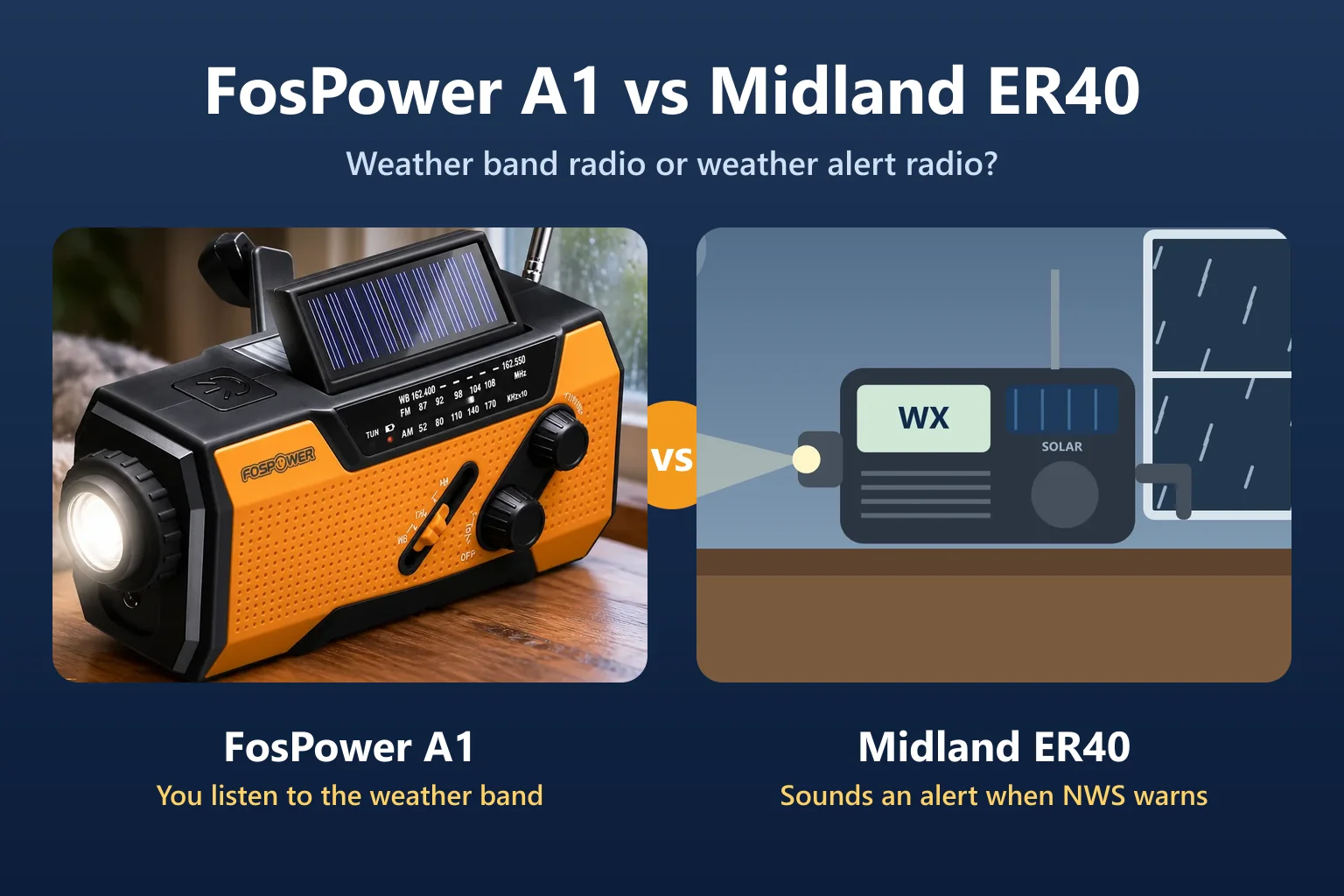
Portable crank radios are a separate case. Midland's ER310 and ER210 pages say alerts "sound when issued on local channel" and don't mention SAME, so they can't filter by county the way a desktop SAME radio does.
Step 5: Power and Batteries
A plugged-in alert radio needs its backup batteries for exactly the night it matters: storms knock out power. NWS calls battery backup something that "can be crucial" for that reason. Check that the adapter is firmly in both the radio and the wall, that batteries are in, and whether the low-battery indicator is on. A Midland WR120 takes 3 AA and a WR400 4 AA, neither included.
Step 6: Test It Before You Need It
- The radio's own test. Most alert radios have one. On the Midland WR120 it's "ALERT TEST" in the menu: it shows how the siren and any connected strobe or bed shaker will act for a warning with your current settings.
- The weekly NWS test. NWS says its alarm tests normally run "each Wednesday between 10 a.m. and noon local time", and that a test is postponed to the next good-weather day when severe weather threatens. How your radio shows a test depends on the model and settings, so check your manual.
- When tests stop arriving. Some radios notice. NWS Albuquerque says the Midland WR-120 gives "one audible beep every ten minutes" if it goes ten days without receiving a test. To stop it: unplug the radio and remove one battery, then put them back; your settings stay, but you'll need to reset the clock. The radio also resets itself at the next weekly test or the next watch or warning. Ten days without a test is itself a clue: go back to steps 1 to 3.
When a Different Radio Makes More Sense
Sometimes the checks show that the radio simply can't do the job where you live. Two common cases:
- Weak signal and no antenna jack. If moving the radio doesn't help and it has no external antenna jack, a radio that has one gives you an option. NWS notes that "some receivers come with an external antenna jack".
- Too many or too few alerts. A radio without SAME can't stay quiet for warnings far away. For warnings at home, look for SAME, battery backup and the Public Alert logo, which NWS says marks devices that "meet certain technical standards".
Where Can You Buy a NOAA Weather Radio?
Not from NOAA: the National Weather Service "neither manufactures nor sells receivers". According to NWS, they are sold at electronics, department and sporting goods stores and online, and NWS doesn't recommend one brand over another. It does suggest looking for the Public Alert logo and/or the NOAA Weather Radio All Hazards logo. A plain AM/FM radio won't do: NWS says the broadcasts "cannot be heard on a simple AM/FM radio receiver".
Our checklist before you buy, from the steps above:
- SAME county filtering, so it wakes you for your county and not for the whole transmitter area.
- Battery backup, because storms knock out power.
- An external antenna jack if you live far from a transmitter or among hills, trees or steel and concrete.
- An external alert jack if anyone at home is hard of hearing: some radios can drive a strobe light or bed shaker (see weather radios for deaf and hard of hearing users).
- A crank radio as well? Only as a second radio for blackouts and go-bags: the crank models we checked don't advertise county filtering.
Buying one now?
See the Midland WR120B on Amazondesktop alert radio with SAME, 3 AA backup · opens in a new tabAffiliate link: we may earn a commission if you buy through it, at no extra cost to you. More choice: best NOAA weather alert radios for a bedside radio, best emergency weather radios for home and go-bag, and the Midland weather radio line-up.
NOAA Weather Radio Off the Air: FAQ
Is NOAA Weather Radio down?
Check the National Weather Service outage page at weather.gov/nwr/outages. It lists transmitters that are offline or running at degraded performance, with the time the list was last updated. If your transmitter isn't listed and you still get nothing, NWS lets you report an outage.
Why is my NOAA weather radio off the air?
Either the transmitter has a problem, or your radio does, or both, as NWS puts it. Transmitters need power and a link from the NWS office, and local NWS notices name power and phone line outages, for example after a hurricane. Check the outage page first; if your transmitter is fine, check the channel, extend the antenna and move the radio near a window.
Why didn't my weather radio go off during a warning?
The most common reasons are a wrong SAME county code, a channel from a transmitter that doesn't cover your county, an alert type set to display only, alerts switched off, or a radio without county alerting. Also, NWS sounds the alarm tone only for the most imminent life- and property-threatening hazards.
How far does NOAA Weather Radio reach?
NWS gives about 40 miles from the transmitter. Hills, forests and city buildings reduce that, while higher ground and large bodies of salt water can increase it.
Where can I buy a NOAA weather radio?
NWS doesn't sell them. It says receivers are sold at electronics, department and sporting goods stores and online, and suggests looking for the Public Alert or NOAA Weather Radio All Hazards logo.
Sources
- National Weather Service: NOAA Weather Radio outages and report an outage
- National Weather Service: reception problems
- National Weather Service: station search
- National Weather Service: receivers
- National Weather Service: alarm tests and warning alarm policy
- National Weather Service: NOAA Weather Radio
- NWS Lincoln, IL: NOAA Weather Radio outage notice and NWS Blacksburg, VA: Richlands transmitter notice
- Ready.gov: emergency alerts
- NWS Albuquerque: my NOAA weather radio keeps beeping
- Midland: WR120 owner's manual (PDF, January 2024) and WR400 owner's manual (PDF, November 2025)
- Midland: ER210 manual (PDF) and ER40 owner's manual (PDF)
- All read October 22, 2026.