Product covered in this analysis
FosPower A1 Manual
See today’s price, delivery options and customer reviews on Amazon.
As an Amazon Associate, I earn from qualifying purchases.In this article 10 sections
Lost the little FosPower leaflet, or never quite understood which switch does what? Here is the FosPower A1 (FOSPWB-2376) manual in plain English: the parts, how to tune the weather band, how to charge and power it, how to charge your phone from it, and the small notes that solve most "it doesn't work" moments. Everything is from FosPower's own operating instructions (2019) unless we say otherwise; our own tips are marked as such.
Short answer: first crank the A1 for 3 to 5 minutes to wake up the battery. Then pick the power source with the battery switch on the front (LI-ION or AAA), turn the volume dial clockwise to switch on, choose FM, AM or WB with the band switch, pull out the antenna and turn the tuning knob until the green "TUN" light comes on. Charge it by USB (about 4.5 hours), crank (130 to 150 turns a minute) or sun, and use AAA alkaline batteries as a backup power source.
Editorial Research
- Written by
- Lena Thornton, Weather Station Analyst & CWOP Contributor
- Based on
- FosPower's operating instructions for the Solar Crank Radio with 2000mAh power bank (the A1), posted on its Amazon listing, read October 22, 2026
- Hands-on testing
- Not performed by The-Weather.com
- Research last verified
- October 22, 2026
The Parts, by Number
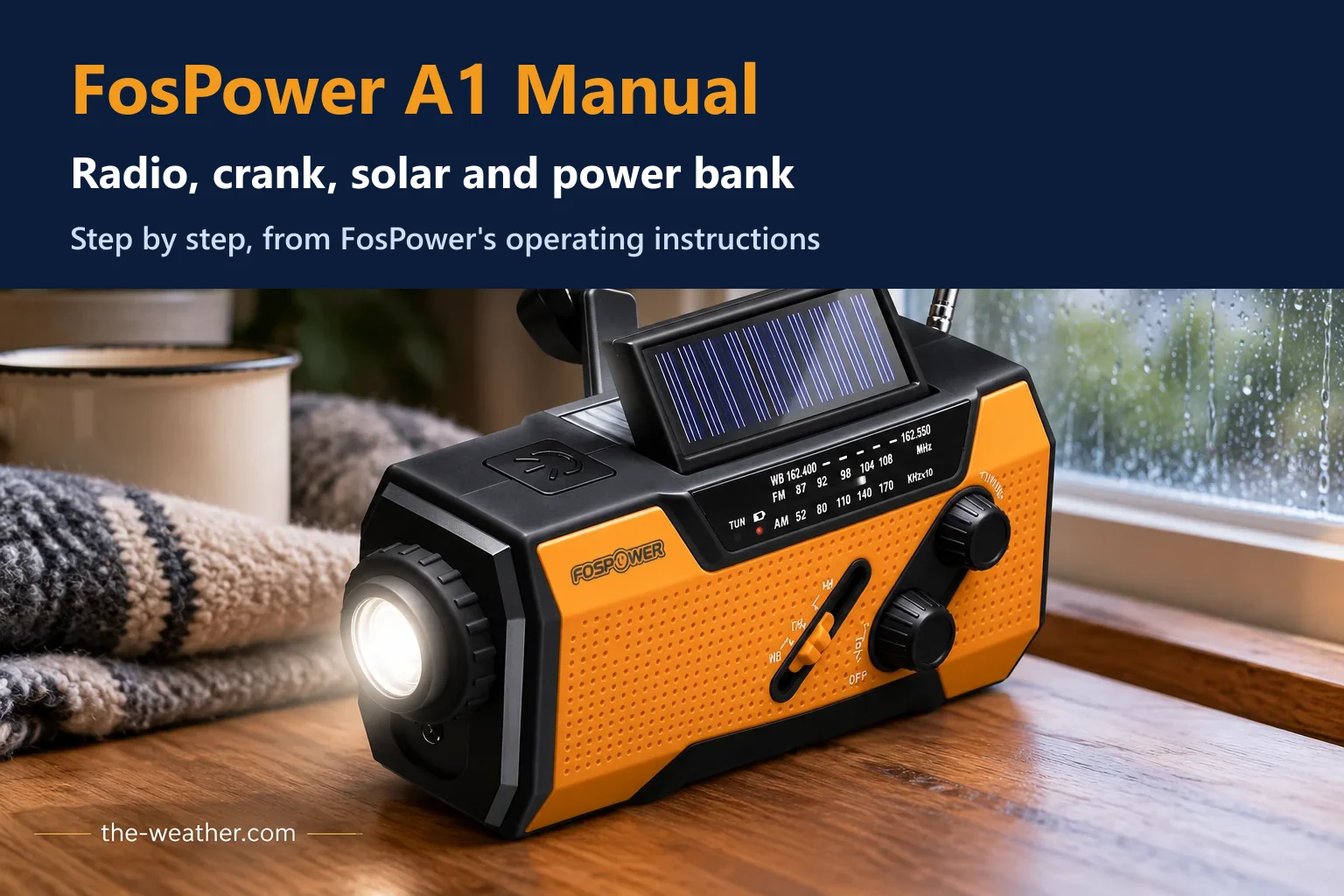
The manual's diagram numbers 19 parts. The ones you use most:
| Part | What it does |
|---|---|
| Antenna (1) | Pull out and rotate gently for better reception |
| Solar panel (2) | Tops up the battery in direct sunlight |
| Flashlight button (3) and 1W torch (4) | Press to switch on; turn the bezel to zoom the beam |
| Emergency flasher (5) and SOS switch (16) | SOS alarm with flashing light |
| Band switch (6) | AM, FM or WB (weather band) |
| Volume dial (7) | Turns the radio on and off and sets the volume |
| Tuning knob (8) | Finds the station |
| Battery switch (9/10) | Choose AAA or the internal LI-ION battery |
| Reading light (11) | LED reading light (4 LEDs, according to the Amazon listing) |
| Hand crank (12) | Charges the internal battery |
| AAA compartment (13) | For AAA alkaline batteries (not included) |
| USB-A port (14) | Output: charges your phone |
| Charging port (15) | Input: charges the radio. Micro-USB in the 2019 manual; the current Amazon listing says USB-C, so check yours |
| USB power bank switch (18) | Turns the phone charging output on |
Numbers match the product diagram in FosPower's manual. Part 17 is labelled "Radio ON Switch" and part 19 the "Li-ion Battery Compartment". The manual does not explain how the radio on switch (17) works together with the volume dial (7), which its radio steps use to switch on. The SOS switch (16) has no separate instructions in the manual, and no loudness is given.
Before First Use
- Wake up the battery: "Turn the Hand Crank for 3-5 minutes to activate the internal battery before initial use."
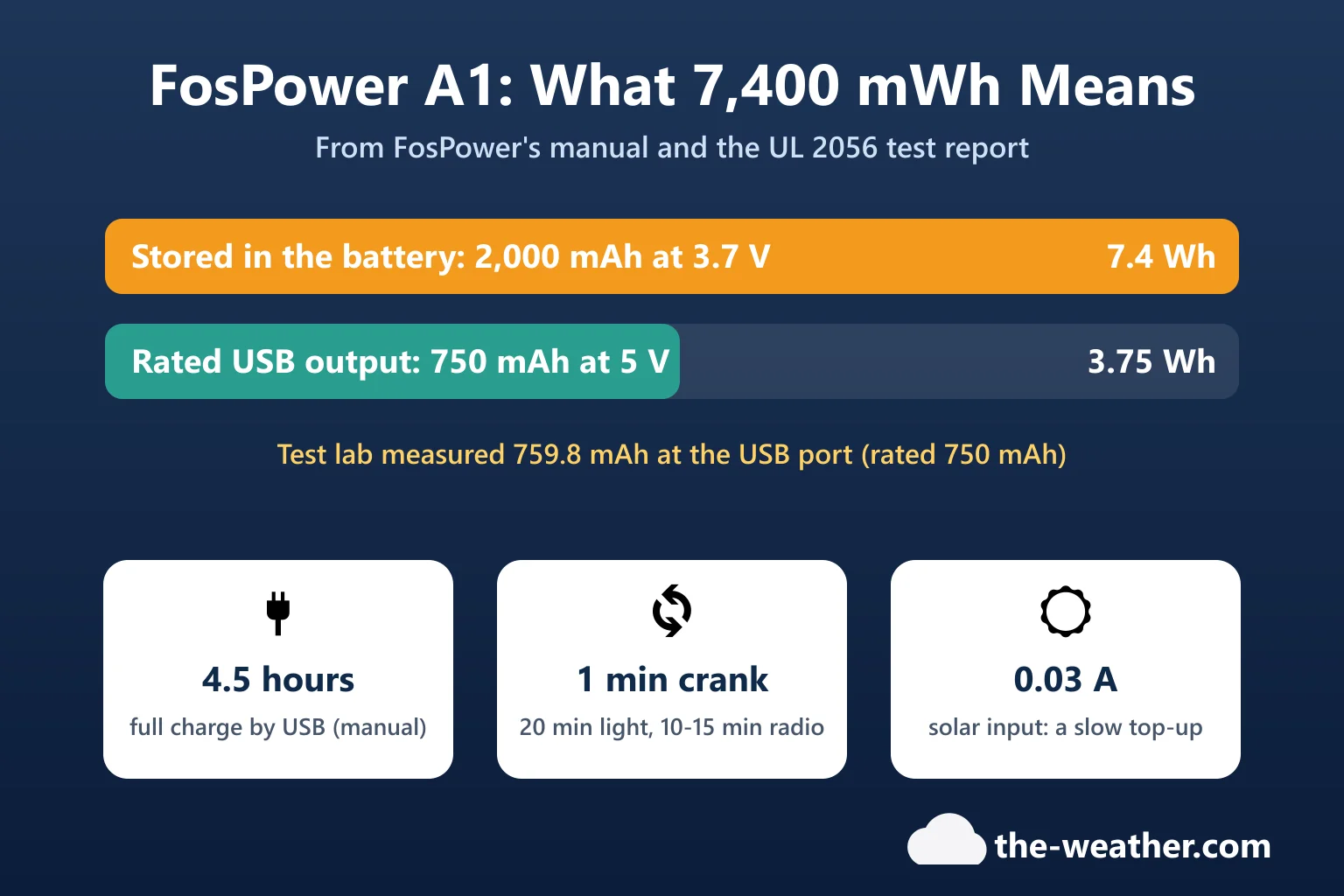
- Then charge it fully with the supplied USB cable (our tip, so it is ready when you need it): the power indicator turns red while charging and goes out when the battery is full, after about 4.5 hours.
How to Use the Radio
- Select the Li-ion battery or AAA battery with the battery switch.
- Turn the volume dial clockwise to switch the radio on and set the volume.
- Select FM, AM or WB with the band switch.
- Extend the antenna.
- Turn the tuning dial. The green "TUN" indicator lights up when the station is fully tuned.
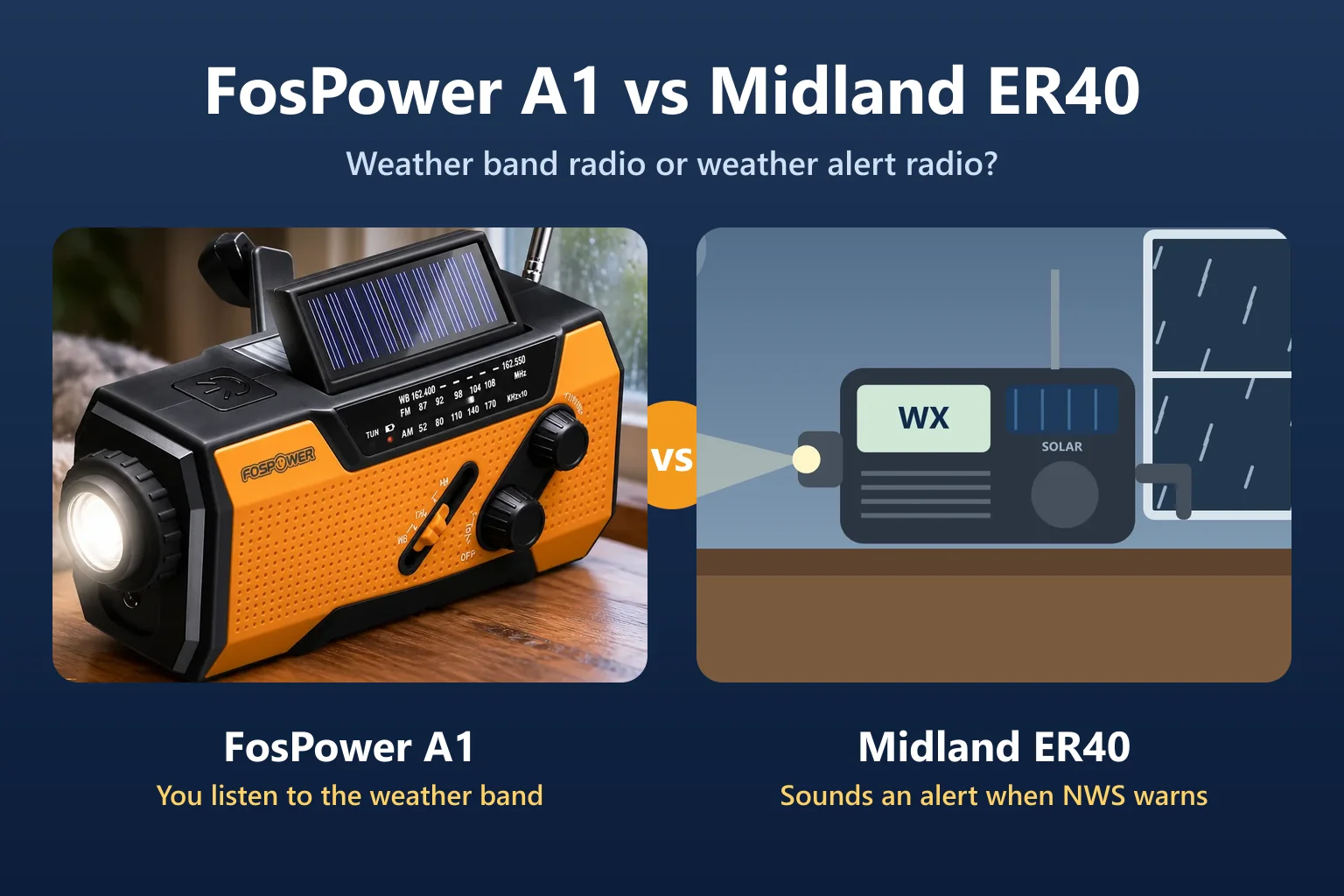
Finding your NOAA weather station (our tip): set the band switch to WB and turn the tuning knob slowly across the weather band (162.400 to 162.550 MHz) until you hear the National Weather Service voice. The National Weather Service lists the frequency for your county at weather.gov/nwr/counties. Note that the A1 has no alert function: you only hear warnings while you listen.
Charging and Powering the Radio
The manual lists four methods under "Power Bank Charging Methods". The crank, the sun and USB recharge the internal battery; AAA batteries power the radio instead of it.
A. Hand crank
- Crank 3 to 5 minutes before first use.
- Turn the crank steadily at 130 to 150 RPM.
- One minute of cranking supports about 20 minutes of light, or 10 to 15 minutes of radio at medium volume.
- The manual adds "Unit will be fully charged in 4 hours" in this section without saying which method it means. By the manual's own figures, USB (about 4.5 hours) is the practical way to fill the battery.
B. Solar
- Put the solar panel in direct sunlight.
- It charges the whole device (radio, flashlight and SOS alarm). FosPower describes it as "maintaining and extending battery life". The UL test report lists the solar input at 5 V, 0.03 A, so expect a slow trickle.
C. USB
- Plug in the supplied cable. Red light on = charging; off = full. About 4.5 hours for the 2,000 mAh battery.
- The 2019 manual calls the input "Micro USB"; the current Amazon listing says USB-C and ships a USB-C to USB-A cable. Use the cable that came with yours. No wall adapter is included; any USB wall adapter or computer port will do (our tip).
D. AAA batteries (backup power)
- Remove the battery cover, load the batteries, close the door and push the battery switch to AAA. Use alkaline AAA only (not included). The listing says 4 are required; the manual gives no number.
How to Charge Your Phone From It
- Switch the radio to USB charge with the switch on the bottom (phone and lightning bolt symbol).
- Push the battery switch on the front to LI-ION.
- Connect your phone to the USB-A port. You need a cable with a USB-A plug on one end; a USB-C to USB-C phone cable will not fit.
FosPower's notes: you can also charge from the crank or AAA batteries "but only as the last charging option"; do not have the phone attached while you charge the radio with the crank; and turn the USB charge switch off when you listen to AM, because it "may cause interference". How much charge to expect: see Can the FosPower radio charge a phone?
When Something Seems Wrong
| What you see | Why (manual, or our tip) | What to do |
|---|---|---|
| Radio switches itself off | Manual: "When battery voltage is lower than 2.5V, the radio will turn off automatically." | Charge by USB, sun or crank, or switch to AAA. |
| Phone stops charging | Manual: "When battery is over loaded, it will automatically stop outputting." | Our tip: unplug, charge the radio first, then try again. |
| Buzzing on AM | Manual: the USB charge switch "may cause interference" on AM. | Turn the USB charge switch off while listening. |
| Dead after months in a drawer | Manual: after more than 60 days idle, crank 3 to 5 minutes "to activate the internal battery". | Crank for 3 to 5 minutes. |
| Weak or no station | Our tip: antenna in, or not fully tuned. | Extend and rotate the antenna; tune until the green TUN light is on. |
Care, Water and Warranty
- Clean with a soft, damp cloth; no harsh abrasives or solvents.
- Retract the antenna when you store it.
- "Unit is not waterproof, only water-resistant. DO not submerge in water." (IPX-3)
- The A1 has a limited lifetime warranty. FosPower's manual gives support@fospower.com and (651) 389-4432 for help.
Need a second one for the car or go-bag? FosPower A1 on Amazon. Affiliate link: we may earn a commission if you buy through it, at no extra cost to you.
FosPower A1 Manual FAQ
How do I turn on the FosPower radio?
Choose the power source with the battery switch (LI-ION or AAA), then turn the volume dial clockwise. Pick FM, AM or WB with the band switch and tune until the green TUN light comes on.
How do I charge my phone with the FosPower radio?
Turn on the USB charge switch on the bottom, push the battery switch to LI-ION, and connect your phone to the USB-A port with a cable that has a USB-A plug.
How fast should I crank the FosPower radio?
FosPower says 130 to 150 turns a minute. One minute gives about 20 minutes of light or 10 to 15 minutes of radio at medium volume.
Why did my FosPower radio turn off by itself?
The radio switches off automatically when the battery drops below 2.5 volts. Charge it by USB, sun or crank, or switch to AAA batteries.
What batteries does the FosPower A1 take?
An internal 2,000 mAh lithium-ion battery, plus AAA alkaline batteries as a backup (not included). The Amazon listing says 4 AAA; the manual gives no number but says alkaline only.
Update Log
- October 22, 2026: First version, based on FosPower's operating instructions.
Sources
- FosPower: Solar Crank Radio operating instructions (PDF)
- SGS test report SZES190901540902, UL 2056 power bank safety, FOSPWB-2376 (PDF) (solar input figure)
- FosPower NOAA Emergency Weather Radio A1, Amazon listing (ASIN B07FKYHTWP), read October 22, 2026 (reading light LEDs, USB-C, AAA count)
- National Weather Service: NOAA Weather Radio coverage by county
Ready to decide?
Get the FosPower A1 Manual
Prices and stock change daily. Check the current price, delivery options and what owners say in their reviews.