Product covered in this analysis
Inkbird IBS-TH2
See today’s price, delivery options and customer reviews on Amazon.
As an Amazon Associate, I earn from qualifying purchases.In this article 9 sections
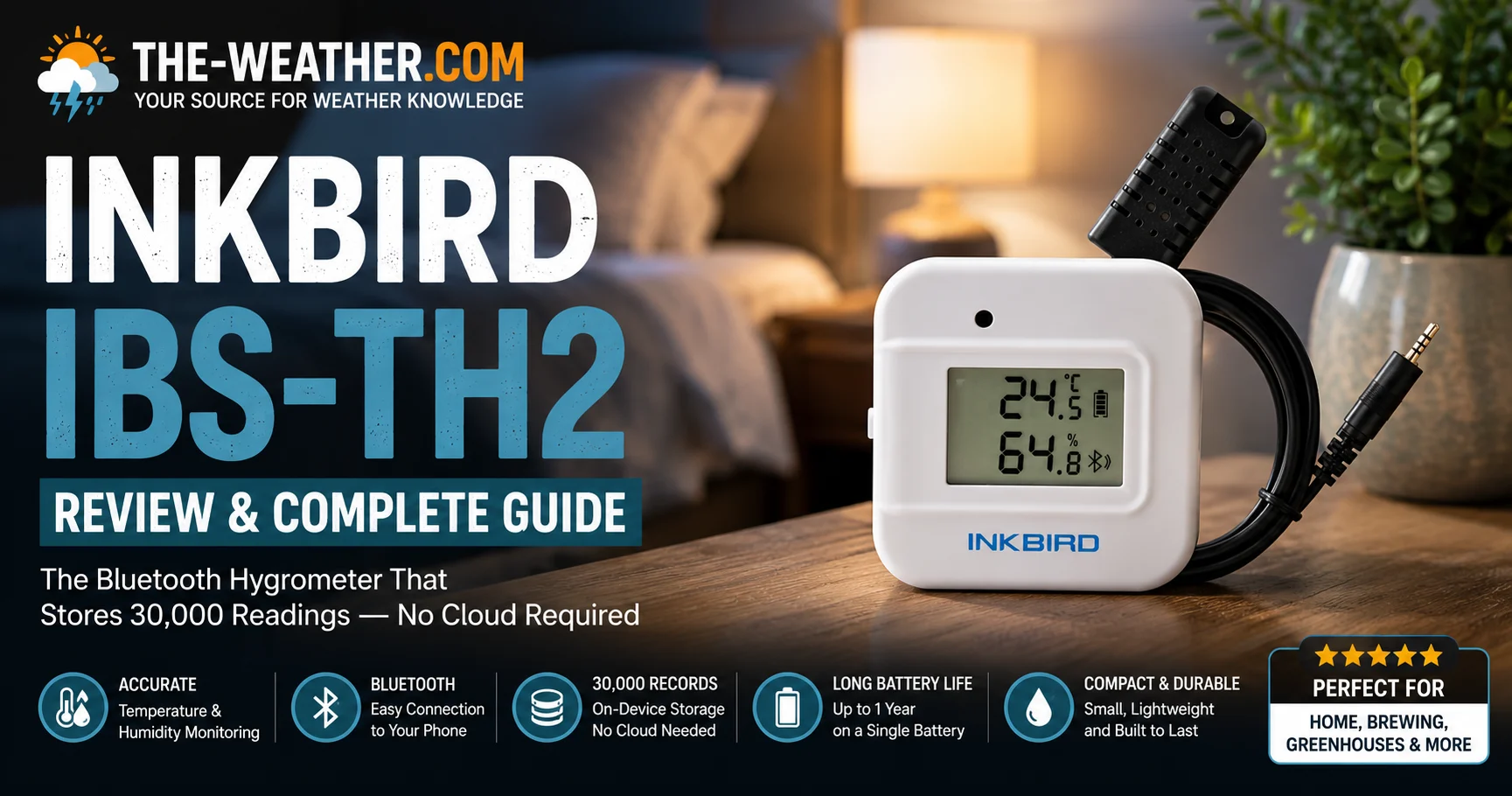
The Inkbird IBS-TH2 Bluetooth Thermometer Hygrometer: compact, battery-powered, 30,000-record on-device storage with no cloud account required.
Lena Thornton here, Weather Station Analyst at The-Weather.com. The Inkbird IBS-TH2 Bluetooth Thermometer Hygrometer, also written as Inkbird IBS TH2 or simply the Inkbird TH2, occupies a specific niche among budget sensors: buyers who want data independence. Where the Govee H5179 stores data in the cloud and the SensorPush HT1 keeps two weeks on-device, the IBS-TH2 logs 30,000 records locally. That is roughly 20 days of one-per-minute readings, or over a year at 30-minute intervals: all accessible without an internet connection.
The IBS-TH2 has become a popular choice among homebrewers because its local storage keeps complete fermentation logs without requiring continuous internet access. On Reddit's r/Homebrewing community it regularly appears as a recommended budget sensor for fermentation chambers, with users citing its data independence as the main reason to choose it over cloud-dependent alternatives. Home Assistant users value it for the same reason: local Bluetooth, no cloud dependency, open enough to integrate without vendor lock-in.
Inkbird IBS-TH2: Verified Specifications
Pros and Cons
- 30,000-record on-device storage: no cloud account needed
- Works with Home Assistant via Bluetooth
- Configurable update intervals: extend battery life
- In-app calibration for both temperature and humidity
- CSV data export via the Inkbird app
- Low price: strong value for local data logging
- No subscription, no account required for basic use
- ±1.8°F temperature accuracy: below Govee H5179 and SensorPush HT1
- Bluetooth only: no remote monitoring without a gateway
- No display on the device: app required to read data
- No push alerts without third-party integration
- CR2477 battery less common than AAA
- Not water-resistant, not suitable for greenhouse or outdoor use
The 30,000-Record Storage: Why It Matters
Most budget Bluetooth hygrometers store 7–14 days of data on the device. The IBS-TH2 stores 30,000 records: the equivalent of 20+ days at one-minute intervals, or over a year at 30-minute intervals. All of this is accessible directly from the sensor via Bluetooth without any cloud account or internet connection.
For homebrewers monitoring a fermentation chamber over a two-week lager cycle, this means a complete, uninterrupted temperature log even if the phone was out of range for days. For wine and cigar storage, it means long-term humidity records that survive app updates, account changes or a change of phone: the data stays on the device.
This is a meaningful practical difference from cloud-dependent competitors. If Govee changes its data retention policy, historical data stored in Govee's servers is at risk. The IBS-TH2's data stays on the hardware you own until you export or overwrite it.
Home Assistant integration
The IBS-TH2 has become one of the more popular entry-level sensors in the Home Assistant community. It integrates via the native Bluetooth integration without requiring any custom component or cloud bridge. Once paired, temperature and humidity appear as entities in Home Assistant with full history, automations and alert rules available through the platform. For Home Assistant users who want a cheap, reliable local sensor, it is one of the cleaner options at this price.
Accuracy: Where the IBS-TH2 Sits in the Market
The IBS-TH2's ±1.8°F temperature accuracy is honest but not exceptional. At ±1.8°F it sits behind the Govee H5179 (±0.54°F) and SensorPush HT1 (±0.5°F) on temperature precision. For the use cases it targets, homebrewing fermentation chambers, cigar humidors, wine cellars, ±1.8°F is generally acceptable. Fermentation temperature control typically operates within a 2–4°F window, which this sensor can track reliably.
Humidity accuracy at ±3% RH matches the category standard. For calibration-sensitive applications, the in-app offset function lets you correct readings against a reference salt solution or a known reference sensor.
Temperature Accuracy Comparison
| Sensor | Temp Accuracy | Humidity Accuracy | Price Tier |
|---|---|---|---|
| SensorPush HT1 | ±0.5°F | ±2% RH | Premium |
| Govee H5179 | ±0.54°F | ±3% RH | Mid |
| ThermoPro TP55 | ±1°F | ±2% RH | Budget |
| Inkbird IBS-TH2 | ±1.8°F | ±3% RH | Budget |
Inkbird IBS-TH2 vs the Alternatives
| Feature | Govee H5179 | Inkbird IBS-TH2 | SensorPush HT1 | ThermoPro TP62 |
|---|---|---|---|---|
| Temp accuracy | ±0.54°F | ±1.8°F | ±0.5°F | ±1°F |
| On-device storage | None (cloud only) | 30,000 records | 20 days | 24-hr hi/lo |
| Cloud required | Yes | No | Optional | No |
| Wi-Fi | ✓ 2.4GHz | ✗ BT only | Gateway add-on | ✗ RF only |
| Home Assistant | Via cloud | ✓ Native BT | ✓ Native BT | ✗ |
| Push alerts | ✓ | Via HA only | ✓ | ✗ |
| Price tier | Mid | Budget | Premium | Budget |
Who the Inkbird IBS-TH2 Actually Suits
- Homebrewers. The IBS-TH2 is widely used in fermentation chambers and keezer builds. The long on-device storage captures complete fermentation temperature logs without relying on a phone being in range continuously.
- Home Assistant users. Native Bluetooth integration, local data, no cloud dependency: the IBS-TH2 fits cleanly into a local-first home automation setup.
- Cigar and wine collectors. Place it inside a humidor or wine fridge and pull the full data log periodically over Bluetooth. No subscription, no account risk.
- Budget buyers who want data logging. At this price with 30,000-record storage, nothing in the category matches it for local data independence.
The Inkbird IBS-TH2 is not right for you if:
- You need remote monitoring: The IBS-TH2 is Bluetooth only. If you want to check conditions from outside the house, the Govee H5179 (Wi-Fi) or SensorPush HT1 with gateway are better options.
- You need tight temperature accuracy: At ±1.8°F, the IBS-TH2 is not the right tool for applications where half-a-degree matters. The Govee H5179 at ±0.54°F or the SensorPush HT1 at ±0.5°F are more precise.
- You want push alerts: The Inkbird app does not send native push alerts. You can replicate this via Home Assistant automations, but out of the box the IBS-TH2 is a passive logger rather than an alert device.
- You need a display: The IBS-TH2 has no screen. Readings are only visible in the Inkbird app or Home Assistant. For a device with a built-in display, see our best hygrometer for bedroom guide.
Inkbird IBS-TH2 Manual
The official Inkbird IBS-TH2 manual PDF is available from the Inkbird support page at inkbird.com/pages/support. Search for "IBS-TH2" to find the correct document. The manual covers the following tasks:
- Pairing: Download the Inkbird app, enable Bluetooth, and select Add Device. The IBS-TH2 should appear automatically within range. If it does not, press the reset button briefly to put it into pairing mode.
- Calibration: In the Inkbird app, tap the device, go to Settings, and enter offset values for temperature and humidity. Calibrate against a reference salt solution or a known accurate sensor for best results.
- Update interval: The default interval is 10 seconds. Increasing it to 30 or 60 minutes significantly extends battery life and reduces data volume without affecting the quality of long-term monitoring.
- Data export: Tap the graph icon in the app, select the date range, and use the export function to generate a CSV file sent to your email address.
- Firmware updates: The app notifies you when a firmware update is available. Updates are applied over Bluetooth when the phone is within range.
If the printed manual is missing, the support page also links to a quick-start guide covering initial pairing and basic app navigation.
How to Replace the Inkbird IBS-TH2 Battery
The IBS-TH2 uses a CR2477 coin cell battery. Cold environments and shorter update intervals drain the battery faster.
- Open the rear cover. Use a coin or flat-head screwdriver to twist the rear battery compartment cover anticlockwise. It lifts off cleanly without tools.
- Remove the old battery. Note the polarity marking inside the compartment: positive side faces up on most units.
- Insert the new CR2477. Press it firmly into place with the positive terminal facing the correct direction.
- Replace the cover. Twist clockwise until it clicks. The sensor restarts automatically.
- No data is lost. The 30,000 on-device records are retained in flash memory during battery replacement: you do not need to re-pair or reset the device.
CR2477 batteries are available from most electronics retailers and online. They are less common than AAA but widely stocked.
Inkbird IBS-TH2 Not Connecting or Showing Data?
Most IBS-TH2 connectivity issues come down to Bluetooth range, battery state or the app needing a refresh. Work through these steps in order:
- Check battery level first. A low CR2477 battery causes intermittent Bluetooth drops before the device stops working entirely. Replace the battery if it has been in use for over a year.
- Move closer to the sensor. Walls and metal enclosures (keezer lids, humidor boxes) reduce Bluetooth range significantly. During initial pairing keep the phone within 1–2 metres.
- Force-close and reopen the Inkbird app. The app occasionally needs a full restart to recognise a nearby device after a period of inactivity.
- Remove and re-add the device. Delete the sensor from the Inkbird app device list and re-add it from scratch. On-device data is not lost during this process.
- Check update interval settings. If the interval is set to 60 minutes, the sensor will only broadcast data once per hour. The device may appear offline between broadcasts.
- For Home Assistant issues: Reload the Bluetooth integration and check that the sensor's MAC address is correctly listed. Restarting the Bluetooth adapter on the host device resolves most connection drops.
The official Inkbird manual and firmware update guide are available from the Inkbird support page at inkbird.com/pages/support. The PDF covers pairing, calibration and update interval configuration in full.
Frequently Asked Questions
How accurate is the Inkbird IBS-TH2?
The Inkbird IBS-TH2 achieves ±1.8°F (±1°C) temperature accuracy and ±3% RH humidity accuracy per official Inkbird specifications. This is acceptable for general monitoring but below the ±0.54°F accuracy of the Govee H5179 or the ±0.5°F of the SensorPush HT1.
Does the Inkbird IBS-TH2 need to be calibrated?
The Inkbird app supports manual offset calibration for both temperature and humidity. For general monitoring the factory calibration is sufficient. For precision applications like homebrewing or cigar storage, calibrating against a known reference is recommended.
Is Inkbird a reputable brand?
Inkbird is a well-established brand with a strong following among homebrewers, aquarium hobbyists and home automation users. Their sensors are widely used in the homebrewing community and have a solid reputation for value and reliability in non-precision applications.
How long does the Inkbird IBS-TH2 battery last?
The IBS-TH2 uses a CR2477 coin cell battery. Longer update intervals reduce battery drain and extend life significantly.
Does the Inkbird IBS-TH2 work with Home Assistant?
Yes. The IBS-TH2 integrates with Home Assistant via the native Bluetooth integration without any custom component. It is one of the more popular budget sensors in the home automation community due to its local data storage and open Bluetooth protocol.
What is the Bluetooth range of the Inkbird IBS-TH2?
Inkbird specifies up to 150 feet (45 metres) line of sight. Walls and furniture shorten that in practice. For larger spaces, a Bluetooth gateway extends coverage.
Verdict
The Inkbird IBS-TH2 does one thing better than anything else in this price range: it stores 30,000 records locally with no cloud account required. For homebrewers, Home Assistant users, cigar collectors and anyone who values data independence over connectivity features, that is a compelling reason to choose it over connected alternatives. Its temperature accuracy at ±1.8°F and Bluetooth-only connectivity are genuine limitations, if you need remote monitoring or tighter precision, the Govee H5179 or SensorPush HT1 are better tools.
At its price, the IBS-TH2 represents strong value for the specific use case it serves.
We compared hygrometers for greenhouse, bedroom and home use, from simple displays to precision sensors.
Sources
All specifications from the official Inkbird IBS-TH2 product page and user manual. Community use cases verified against r/Homebrewing and Home Assistant community forums. No manufacturer compensation was received.

Lena Thornton
Weather Station Analyst & CWOP Contributor. Lena has researched, reviewed and analysed weather stations and environmental sensors from AcuRite, Ambient Weather, Davis Instruments, Govee, ThermoPro, SensorPush and Inkbird. Published July 2026.
Ready to decide?
Get the Inkbird IBS-TH2
Prices and stock change daily. Check the current price, delivery options and what owners say in their reviews.