
Product covered in this analysis
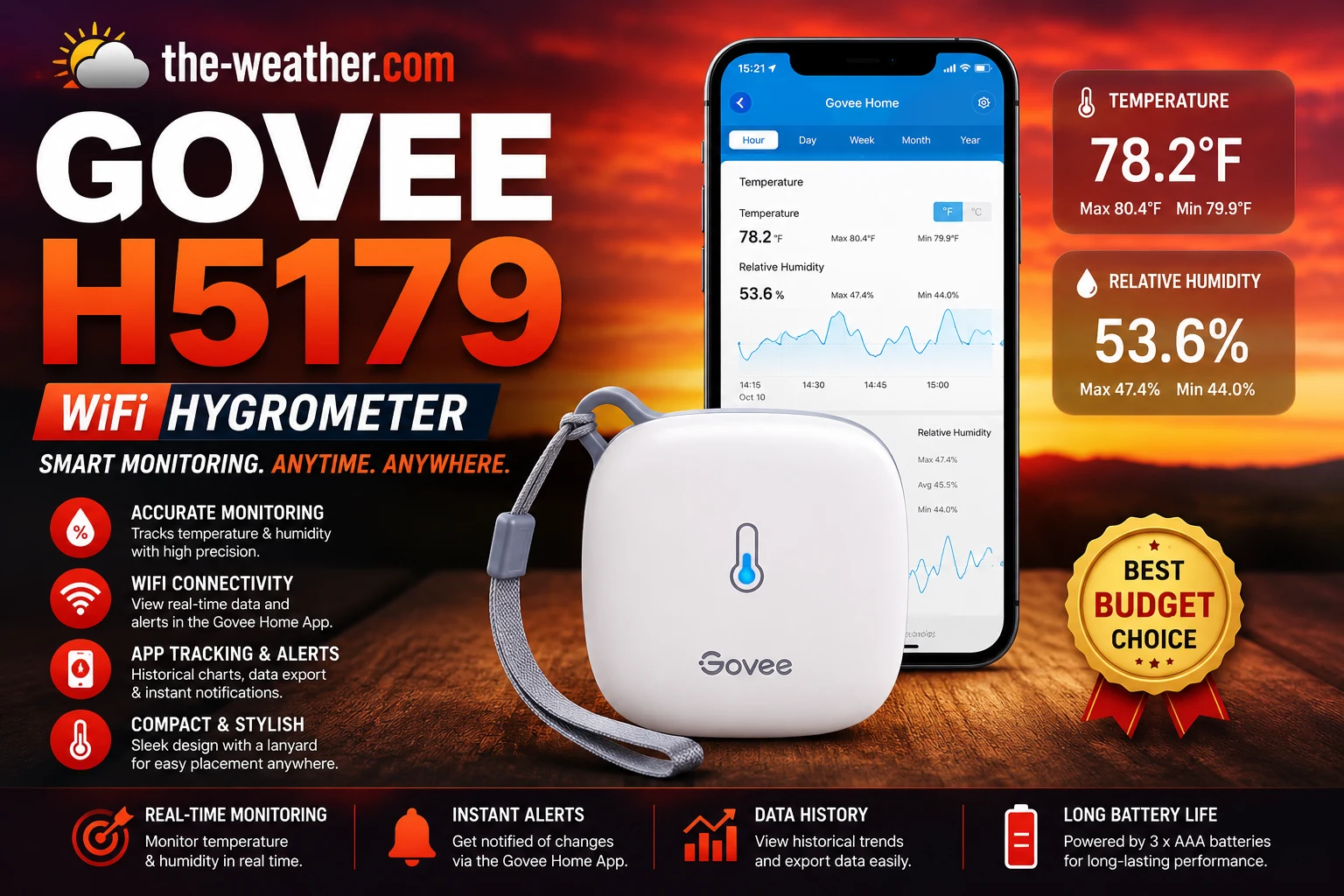
Govee H5179
See today’s price, delivery options and customer reviews on Amazon.
As an Amazon Associate, I earn from qualifying purchases.In this article 11 sections
- Pros and Cons
- The Swiss Sensor: Why It Matters
- Connectivity: Wi-Fi, Bluetooth, and What to Know About Alerts
- Govee H5179 Setup and Features Walkthrough
- What the Specs Mean in Daily Use
- Govee H5179 vs the Alternatives
- Check Before You Buy
- Who the Govee H5179 Actually Suits
- Govee H5179 Not Connecting to Wi-Fi?
- Frequently Asked Questions
- Verdict
Govee H5179 with the Govee Home app. Remote monitoring works from anywhere once connected to 2.4GHz Wi-Fi.
Lena Thornton here, Weather Station Analyst at The-Weather.com. The Govee WiFi Thermometer Hygrometer H5179 sits in a clear gap: between a basic display hygrometer like the ThermoPro TP50 and a precision sensor like the SensorPush HT1. It adds Wi-Fi connectivity, phone alerts, data logging, and calibration support at a price that remains accessible.
The Swiss-made sensor is the standout specification. At ±0.54°F temperature accuracy it outperforms most sensors in this price range, which typically specify ±2°F. For the applications the H5179 targets, basements, greenhouses, wine cellars, nurseries, that extra accuracy has practical value.
For a full comparison of this sensor against the ThermoPro TP50, SensorPush HT1, and Inkbird IBS-TH2, see our best hygrometer for greenhouse roundup.
Govee H5179: Verified Specifications
In a heat wave right now? Why your yard can read hotter than the forecast: backyard temperature in a heat wave. Keeping rooms safe: track indoor temperature and humidity during a heat wave.
Pros and Cons
- Swiss-made sensor: ±0.54°F temperature accuracy, well above budget standard
- 2-second update rate: among the fastest hygrometers in this price range
- Monitor from anywhere via Govee Home app over Wi-Fi
- Custom phone alerts when humidity or temperature goes out of range
- In-app calibration: offset readings against a reference
- Up to two years of cloud-based data history with CSV export
- Three placement options: lanyard, wall bracket, adhesive pad
- Compact and lightweight: fits anywhere
- 2.4GHz Wi-Fi only: no 5GHz, causes setup problems on modern mesh systems
- Alerts must be configured via Bluetooth: cannot set thresholds over Wi-Fi alone
- No display on the device itself: readings only visible in the app
- Requires Govee Home app account: no standalone local display
- Data storage policy set by Govee and subject to change
- App occasionally requires Bluetooth to be active even after Wi-Fi setup
Comparing hygrometers? Our overview of the best hygrometers for every room puts the picks for bedrooms, basements, grow tents and humidors side by side.
The Swiss Sensor: Why It Matters
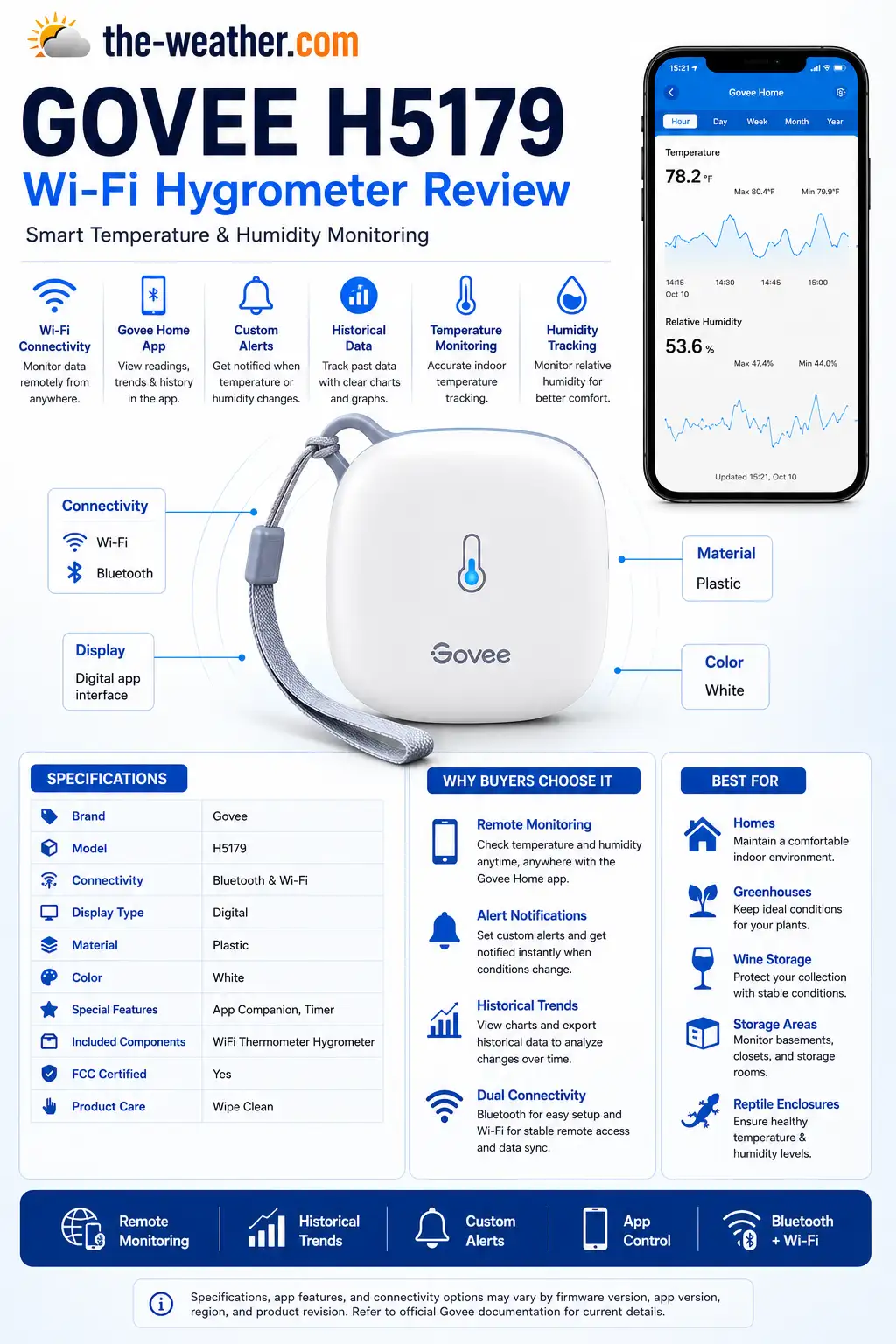
Key H5179 features: Swiss-made sensor, 2-second updates, dual connectivity, and cloud data history.
Most budget hygrometers use commodity sensors that achieve ±2–3°F temperature accuracy. The H5179 uses a Swiss-made environmental sensor achieving ±0.54°F (±0.3°C) accuracy. Per Govee's official product page, this figure applies across the sensor's standard operating range.
In practice this means: on a day where a budget sensor might read 72°F when the actual temperature is 70°F, the H5179 would read within half a degree of the true value. For general home comfort monitoring the difference is small. For greenhouses, wine cellars, incubators, or any environment where temperature accuracy directly affects an outcome, the gap between ±0.54°F and ±2°F is meaningful.
The 2-second update rate is also notable. Most hygrometers at this price update every 10 seconds to a minute. The H5179's 2-second interval means it catches rapid humidity spikes: useful in environments like grow tents, incubators, or bathrooms where conditions can shift quickly.
Humidity accuracy is ±3% RH: the same as the ThermoPro TP50 and SensorPush HT1. At this price tier, ±3% is the category standard for humidity. The H5179's advantage is specifically on temperature.
Connectivity: Wi-Fi, Bluetooth, and What to Know About Alerts
The H5179 connects via both 2.4GHz Wi-Fi and Bluetooth simultaneously. Once connected to Wi-Fi, the device uploads data to the Govee Home platform continuously: you can check current conditions and historical trends from anywhere with internet access.
The alert limitation
This is the most important thing to understand before setting up the H5179. Phone alerts, the push notifications that fire when temperature or humidity goes out of your set range, must be configured via a direct Bluetooth connection between the device and your phone. You cannot configure alert thresholds purely over Wi-Fi.
Once alerts are set via Bluetooth, they trigger remotely over Wi-Fi as expected. The limitation is only at the configuration stage. In practice: bring your phone within Bluetooth range of the device, open the Govee Home app, set your alert thresholds, and then the alerts will work remotely from that point on. You only need Bluetooth during initial setup and when you want to change the alert thresholds.
Wi-Fi setup
The H5179 requires 2.4GHz Wi-Fi with 802.11 b/g/n bands. Modern mesh systems that broadcast both 2.4GHz and 5GHz under one network name frequently cause setup failure: the phone connects to 5GHz while the sensor tries to join 2.4GHz. Separate the bands temporarily in your router admin panel before the initial Wi-Fi connection. Once connected, the sensor maintains its link without further intervention.
App and data
The Govee Home app shows live readings, a 20-day graph view in-app, and access to up to two years of cloud-based data history that can be exported as CSV by email. The app also supports calibration: you can offset the temperature and humidity readings in 0.1-degree increments against a known reference. This makes the H5179 usable for precision applications where the out-of-box accuracy still needs fine-tuning against a laboratory reference.
Govee H5179 Setup and Features Walkthrough
This walkthrough shows the Wi-Fi connection process, the Govee Home app interface, and the alert configuration steps: worth watching before setup to understand the Bluetooth requirement for alerts and how to separate network bands if needed.
The video also shows the calibration function in the app and how to export historical data as CSV: two features that separate the H5179 from basic display hygrometers and justify the step up in price.
What the Specs Mean in Daily Use
Temperature accuracy in practice
Govee specifies ±0.54°F for temperature. That figure applies across the standard operating range; near freezing or above 100°F, expect readings to be less tight, as with most consumer sensors (our view).
Wi-Fi stability
The H5179 needs a 2.4GHz network, which can complicate setup on mesh Wi-Fi systems. The LED indicator flashing blue every 60 seconds confirms the Wi-Fi connection is active.
App performance
The Govee Home app shows graphs of the readings and sends alerts when values cross the thresholds you set.
Battery life
Govee includes the AA batteries. Like all alkaline batteries, they last less in cold places such as unheated basements or refrigerators.
The Govee H5179 is not right for you if:
- You have a 5GHz-only Wi-Fi network: The H5179 requires 2.4GHz. If your router only broadcasts 5GHz or you cannot separate the bands, this sensor will not connect. Check your router settings before ordering.
- You want a visible display on the device: The H5179 has no display: readings are only visible in the Govee Home app. For a sensor with a built-in screen, the ThermoPro TP50 is the right choice for basic use, or the Govee H5103 for a connected sensor with an e-ink display.
- You need precision below ±0.5°F: For laboratory-grade or very sensitive applications requiring tighter tolerances, the SensorPush HT1 or the SensorPush HTP.xw (±0.1°C) are the right tools. See our best hygrometer comparison.
- You don't want to depend on a cloud platform: The H5179 stores data in Govee's cloud. If Govee changes its data retention policy or the app is discontinued, historical data access may be affected. For local-only data logging, the Inkbird IBS-TH2 stores up to 30,000 records on the device itself.
Govee H5179 vs the Alternatives
| Feature | ThermoPro TP50 | Govee H5179 | Inkbird IBS-TH2 | SensorPush HT1 |
|---|---|---|---|---|
| Temp accuracy | ±2°F | ±0.54°F | ±1.8°F | ±0.5°F |
| Update rate | 10 sec | 2 sec | Configurable | 1 min |
| Wi-Fi | ✗ | ✓ 2.4GHz | Gateway add-on | Gateway add-on |
| Phone alerts | ✗ | ✓ | ✓ | ✓ |
| Calibration | ✗ | ✓ in-app | ✓ in-app | ✓ in-app |
| Data history | Daily hi/lo only | Up to 2 years cloud | 30,000 on-device | 2 weeks on-device |
| Display on device | ✓ | ✗ app only | ✗ app only | ✗ app only |
| Best for | Simple display | Remote · alerts · Wi-Fi | Multi-room logging | Humidors · precision |
Check Before You Buy
Check your router first. Mesh systems and modern dual-band routers that broadcast both bands under one name cause silent setup failure. Always check that you can access a 2.4GHz band separately before ordering a 2.4GHz-only device.
The H5179 has no display on the device. If you want a readout on a kitchen counter or bedside table, this is not the sensor. For a sensor with a built-in display, the ThermoPro TP50 is the right choice, or the Govee H5103 for a connected sensor with an e-ink screen.
If you care what happens when Govee changes its data storage policy, consider a sensor with on-device storage. The Inkbird IBS-TH2 stores up to 30,000 records on the device regardless of cloud status: a meaningful difference for buyers who want data independence.
Who the Govee H5179 Actually Suits
- Basement and crawl space monitors. The H5179's remote monitoring means you get phone alerts when basement humidity climbs above your threshold without physically checking. For basements prone to seasonal humidity spikes, this is the most practical use case for the device.
- Greenhouse and grow tent operators. The 2-second update rate catches rapid humidity swings quickly. The calibration function lets you align readings with a reference sensor. The cloud data history lets you spot patterns, which times of day humidity peaks, how different ventilation settings affect the trend.
- Wine cellars and humidors. The H5179's calibration support and ±0.54°F accuracy make it suitable for enclosed precision applications where a basic ±2°F sensor may not be reliable enough. Calibrate against a known reference and set tight alert thresholds to catch conditions before they damage your collection.
- Parents monitoring a nursery remotely. Set the alert range for 40–60% humidity and 68–72°F, configure via Bluetooth once, and receive phone notifications if the baby's room strays out of range, without having to check the app actively.
The Govee H5179 is available on Amazon with free delivery on most orders.
Check AvailabilityGovee H5179 Not Connecting to Wi-Fi?
The H5179's 2.4GHz-only requirement is the most common cause of setup failure. Work through these steps in order before assuming the device is faulty.
- Confirm your network is 2.4GHz. The H5179 does not support 5GHz. Log into your router admin panel and verify you have a 2.4GHz band available.
- Separate your SSIDs. Mesh systems and modern dual-band routers that broadcast both bands under one name cause silent setup failure. Create a separate 2.4GHz network name temporarily and connect to that during setup.
- Move the sensor closer to the router. During initial pairing, keep the H5179 within 3 metres of your router. Once connected it can be moved to its permanent location.
- Restart the router. Power cycle your router and wait 60 seconds before attempting setup again.
- Reset the device. Press and hold the reset button on the back for 10 seconds until the indicator flashes. Then re-attempt the connection process from scratch in the Govee Home app.
- Reconnect via the app. Delete the device from the Govee Home app completely, then re-add it as a new device rather than attempting to reconnect an existing entry.
If none of the above resolves the issue, the official Govee support page and the H5179 user manual both include a connection troubleshooting flowchart. The PDF manual is available directly from Govee's website: search "Govee H5179 manual" and look for the official support.govee.com result. The most common tasks covered are resetting the device, connecting to Wi-Fi, and configuring alert thresholds.
Frequently Asked Questions
How accurate is the Govee H5179?
Per Govee's official product page: ±0.54°F (±0.3°C) temperature accuracy and ±3% RH humidity accuracy. The Swiss-made sensor updates every 2 seconds. This temperature accuracy is considerably better than most budget hygrometers, which typically specify ±2°F.
Does the Govee H5179 require Wi-Fi?
The H5179 connects via both Wi-Fi and Bluetooth. Wi-Fi enables remote monitoring from anywhere. Bluetooth is required for initial setup and for configuring alert thresholds. The device requires a 2.4GHz Wi-Fi network: it does not support 5GHz.
Can the Govee H5179 be calibrated?
Yes. The Govee Home app includes a calibration function for offsetting both temperature and humidity readings against a known reference. This makes the H5179 suitable for applications like humidors and wine cellars where precise readings are important.
How long does Govee H5179 data storage last?
The H5179 currently offers up to two years of cloud-based data history via the Govee Home app, exportable as CSV. This is Govee's current policy: check the product listing for the most up-to-date storage terms as these can change.
How do I reset the Govee H5179?
Press and hold the reset button on the back of the device for 10 seconds. The device restarts and can be re-added to the Govee Home app. Cloud-stored data history is not affected by the reset.
Govee H5179 vs ThermoPro TP50: which should I buy?
Buy the ThermoPro TP50 if you want a simple, cheap display with zero setup: no app, no Wi-Fi, readable at a glance. Buy the Govee H5179 if you need remote monitoring, phone alerts, data logging, or calibration. The H5179 also has significantly better temperature accuracy at ±0.54°F versus the TP50's ±2°F.
Verdict
The Govee H5179 delivers a well-rounded connected hygrometer at an accessible price. The Swiss-made sensor and 2-second update rate put it ahead of most sensors in this category on accuracy and responsiveness. The calibration support and cloud data history make it viable for precision applications. Its limits, no device display, 2.4GHz only, Bluetooth-dependent alert setup, are real but manageable if you know them before buying. For remote monitoring, phone alerts, and data logging in basements, greenhouses, wine cellars, and nurseries, it is one of the stronger options at this price.
Get the Govee H5179 on Amazon As an Amazon Associate, we earn from qualifying purchases at no extra cost to you.We compared hygrometers for greenhouse use, from simple displays to precision sensors for humidors and wine cellars.
Sources
All specifications from the official Govee H5179 US product page and the official H5179 FCC specification document. Reset procedure from the official H5179 user manual. No manufacturer compensation was received.

Lena Thornton
Weather Station Analyst & CWOP Contributor. Lena has researched, reviewed and analysed weather stations and environmental sensors from AcuRite, Ambient Weather, Davis Instruments, Govee, ThermoPro, SensorPush, and Inkbird. Published July 2026.
Ready to decide?
Get the Govee H5179
Prices and stock change daily. Check the current price, delivery options and what owners say in their reviews.