Product covered in this analysis
Eton Quest Hand Crank Weather Radio
See today’s price, delivery options and customer reviews on Amazon.
As an Amazon Associate, I earn from qualifying purchases.In this article 14 sections
- Eton Quest: Quick Glance Cheat Sheet
- Eton Quest Technical Specifications
- Visual Breakdown of Power & Light
- Step-by-Step: Setting Up Your Eton Quest
- Eton Quest vs. The Competition
- The Eton Quest Ownership Timeline
- Common Mistakes to Avoid
- Is the Eton Quest Right for You?
- Emergency Preparedness Tip
- Frequently Asked Questions
- Watch the Eton Quest Unboxing & Setup
- Related Weather & Safety Gear
- Reliable Emergency Resources
- Updates & Revisions
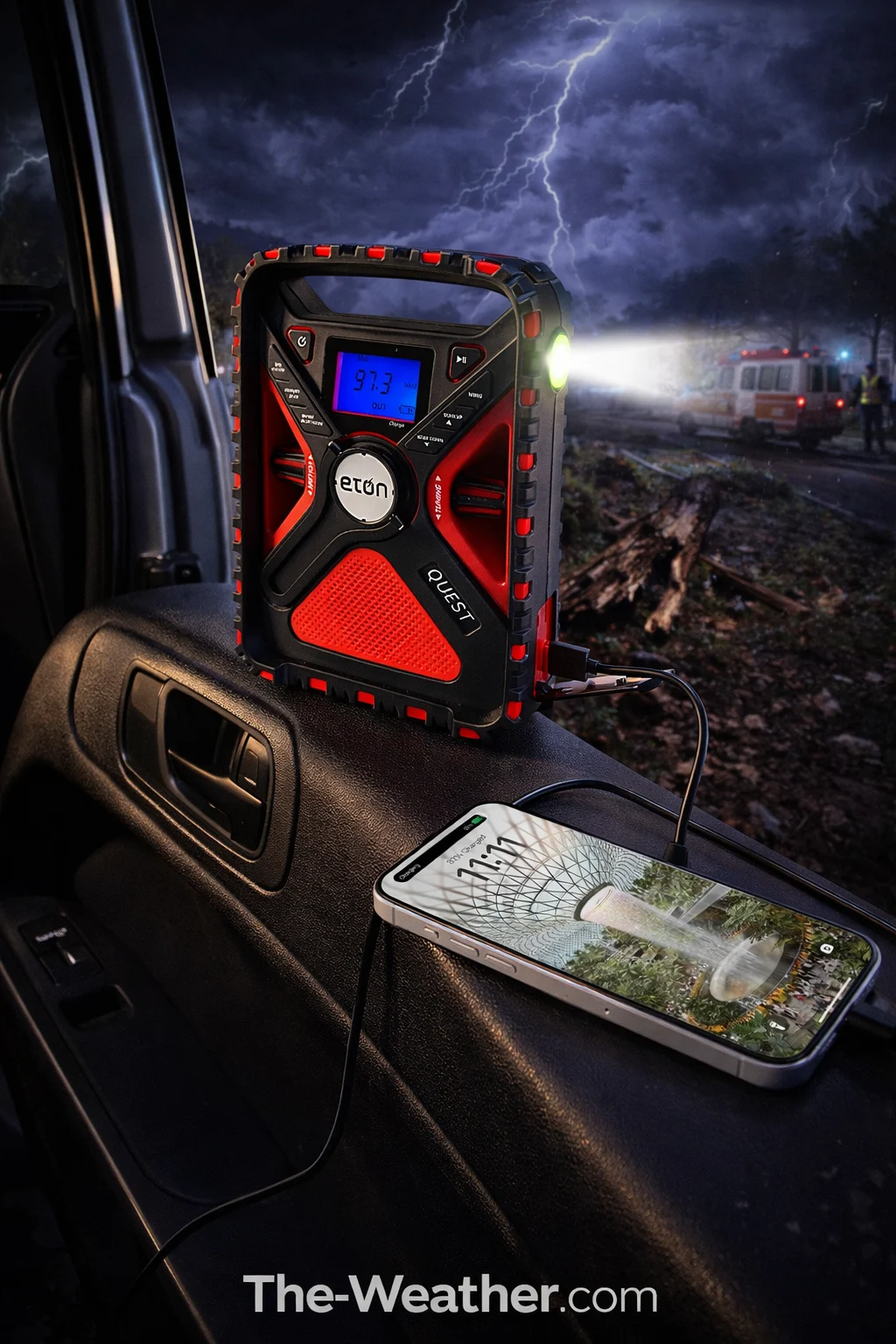
Honey, let's talk about that "just in case" moment we all dread. You know the one: the power goes out, the sky turns a nasty shade of green, and your smartphone is sitting at 4% battery. That is exactly when the Eton Quest Emergency Radio becomes your best friend. It’s not just a radio; it’s a multi-powered survival hub that keeps you connected to NOAA alerts, charges your phone, and lights up the room when the grid gives up. Whether you're a seasoned prepper or just a mom who wants to keep her family safe, this little red box is a big step forward.
Eton Quest: Quick Glance Cheat Sheet
AM, FM, Shortwave, and NOAA.
Huge capacity to charge your phone.
Solar, Crank, USB, and Battery.
Flashlight, Ambient, and SOS Red.
See station info and alert text.
Stream music when the sun is out.
Eton Quest Technical Specifications
| Feature | Specification | Why It Matters |
|---|---|---|
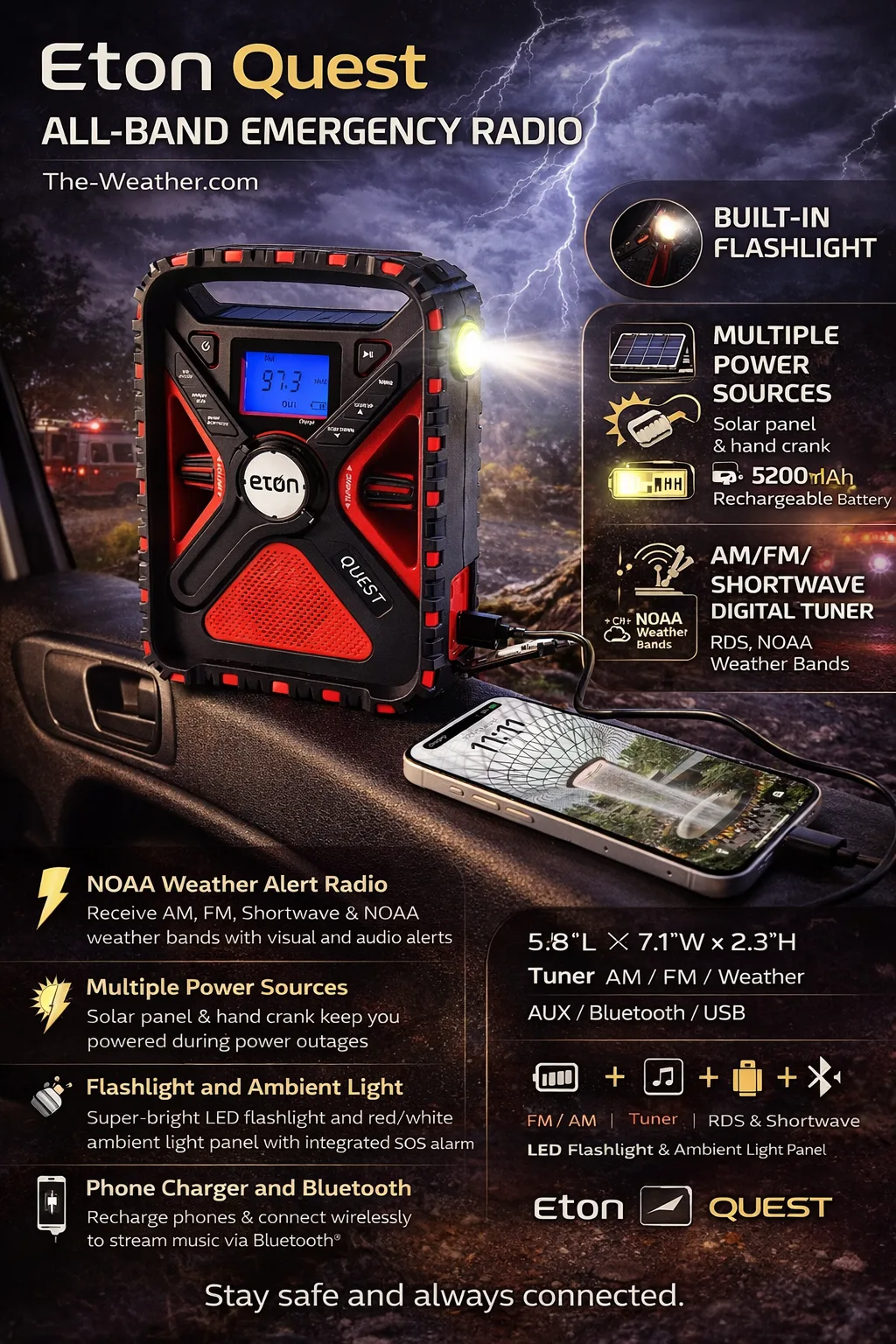
| Battery Capacity | 5200 mAh Rechargeable | Charges a modern smartphone 1.5 to 2 times. |
| Radio Bands | AM/FM/SW/NOAA | Global news and local emergency alerts. |
| Charging Methods | Solar, Hand Crank, Micro-USB | You will never run out of power, period. |
| Connectivity | Bluetooth & AUX-in | Doubles as a rugged outdoor speaker. |
| Dimensions | 5.8" x 7.1" x 2.3" | Compact enough for a backpack or glovebox. |
When we look at weather alert radios, we often see flimsy plastic toys that feel like they'd break if you looked at them wrong. Not the Eton Quest. Eton has been in the game since 1986, starting with high-end Grundig technology, and it shows. This unit feels substantial. It’s water-resistant and built with automotive-grade materials that can handle being tossed into a "go-bag" or left in a hot car.
The real magic here is the 5200mAh battery. Most emergency radios give you a measly 2000mAh, which barely gives your phone a 20% boost. The Quest is a legitimate power bank. While you're monitoring your home weather stations for data, the Quest is there to ensure your communication lines stay open. It’s the perfect companion to the AcuRite Optimus: one tells you the storm is coming, the other helps you survive it.
Visual Breakdown of Power & Light
Infinite Power
The hand crank is smooth and efficient. Just a few minutes of cranking gives you enough juice for a quick emergency call or 20 minutes of radio time. The solar panel keeps the battery topped off while you're camping.
SOS & Ambient Light
The huge ambient light panel on the back is perfect for lighting up a tent or a dark kitchen. If things get really bad, the red SOS beacon and loud siren will help rescuers find you in the dark.
Shortwave Mastery
Unlike basic radios, the Quest includes Shortwave bands. In a total grid collapse, you can still hear broadcasts from other countries or states, keeping you informed when local towers are down.
The Eton Adventure Heritage
Eton isn't just another brand; they are the official partners of the American Red Cross for a reason. Their products are designed in Northern California with a focus on "Preparedness without Panic."
- RDS Technology: Displays the name of the song or the specific type of weather alert on the screen.
- Digital Tuner: No more fiddling with a shaky analog dial; lock onto your station with precision.
- Bluetooth Streaming: When the weather is fine, use it as a high-quality speaker for your backyard BBQ.
- Rugged Enclosure: Built to withstand drops and splashes during outdoor adventures.
If you've already invested in high-tech gear like the EnvyBox WiFi station, the Eton Quest is the logical next step for your safety kit. It fills the gap when the internet goes dark.
Step-by-Step: Setting Up Your Eton Quest
- Initial Charge: When you first get your Quest, plug it into a wall USB charger for 4-6 hours. This "conditions" the 5200mAh battery for long-term health.
- Set the Clock: Use the digital menu to set the time. This is important because the radio can be programmed to wake you up if a NOAA alert is issued.
- Scan for NOAA: Extend the antenna and cycle through the 7 weather channels. Find the one with the strongest signal for your area.
- Test the Crank: Give the handle a few spins. It should feel smooth. This is your "insurance policy" for when the batteries are dead.
- Pair Bluetooth: Turn on the Bluetooth mode and find "Eton Quest" on your phone. Test the sound quality: you'll be surprised how clear it is!
- Place for Safety: Keep the radio in a central location, like a kitchen pantry or a bedside table, where you can grab it in seconds.
Eton Quest vs. The Competition
The premium choice. Best battery life, best lighting options, and the added bonus of Bluetooth and Shortwave. It’s the "Cadillac" of emergency radios.
A very popular alternative. It’s a bit smaller and lacks Bluetooth, but it’s a solid workhorse. However, the battery is significantly smaller than the Quest.
You'll see these for very little money. Avoid them, sugar! They often use cheap Ni-MH batteries that leak and have terrible reception when you need it most.
The Eton Quest Ownership Timeline
You'll feel an immediate sense of relief knowing you have a reliable way to hear the news if the power goes out tonight.
A summer storm knocks out the transformer. While the neighbors are sitting in the dark, you have a bright ambient light and the local news playing.
The Quest leaves the house! It provides the soundtrack for your campfire and keeps your phone charged for photos, all powered by the sun.
Unlike cheap electronics, the Eton Quest is built to last. A quick monthly check of the battery ensures it's ready for another season of storms.
Common Mistakes to Avoid
- Leaving it in a Drawer: Lithium batteries hate being at 0% for months. Pull it out once a month and give it a quick charge.
- Ignoring the Antenna: For NOAA and Shortwave, that telescoping antenna needs to be fully extended. Don't be shy, pull it all the way out!
- Forgetting the SOS Button: Make sure everyone in the family knows where the SOS button is. It’s loud, and it works.
- Using the Solar Panel as Primary: Solar is for *maintaining* a charge. To fill a 5200mAh battery from empty using just that small panel would take days of perfect sun. Use the USB for the heavy lifting!
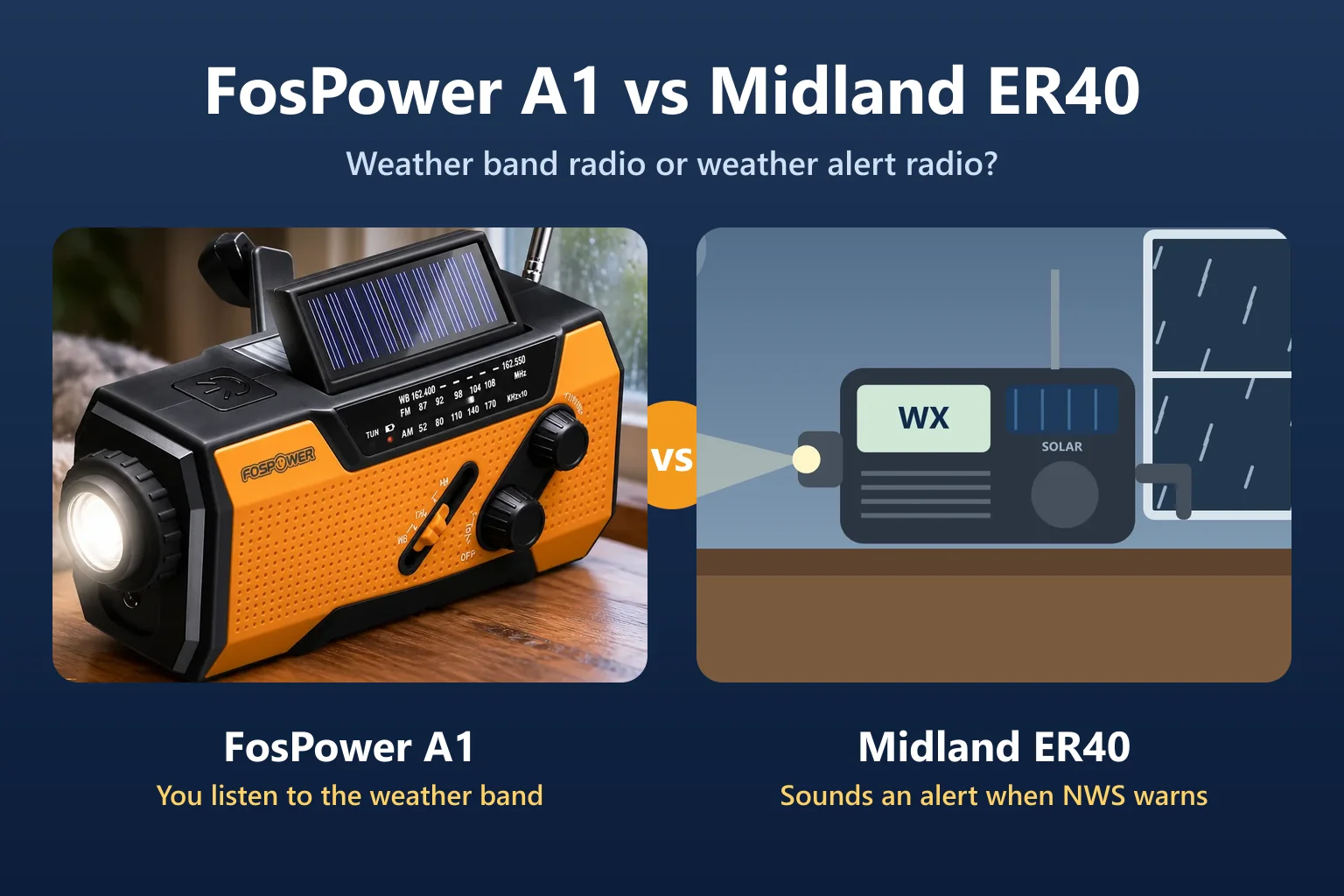
Comparing crank radios? Our Midland ER40 review covers a small Midland crank radio with NOAA alerts, based on Midland's own manual.
Is the Eton Quest Right for You?
If you want one device that handles light, power, and information for the whole family.
Perfect for hikers and campers who need a rugged, multi-functional tool that doesn't rely on wall outlets.
If you appreciate digital tuning, RDS text, and Bluetooth connectivity in your emergency gear.
Lena's Verdict: It is one of the most versatile emergency radios in our research. It’s worth every penny for the battery capacity alone.
Emergency Preparedness Tip
Honey, a radio is only useful if you can hear it! During a high-wind event or a tornado, the noise can be deafening. The Eton Quest has a very loud speaker, but I always recommend keeping a pair of wired headphones in your emergency kit. This allows you to hear the NOAA broadcast clearly even when the wind is howling outside. Stay safe, sweetheart!
Frequently Asked Questions
How long does the battery last on a full charge?
If you're just using the radio at a moderate volume, you can expect over 30 hours of playtime. Using the flashlight or charging a phone will reduce that time, but that's where the hand crank and solar panel come in to save the day!
Is the Eton Quest waterproof?
It is "water-resistant" (IPX4 rated), which means it can handle splashes and light rain. Don't go dropping it in the pool, honey, but it’ll be just fine if it gets caught in a storm on your way to the basement.
What is Shortwave radio used for?
Shortwave signals can travel thousands of miles by bouncing off the atmosphere. It’s used by international broadcasters (like the BBC or Voice of America). In a major disaster, it’s a vital way to get news from outside the affected area.
Can I use regular AA batteries in this?
The Quest uses a built-in rechargeable Lithium-ion battery. While you can't swap in alkalines, the multiple charging methods (crank/solar) ensure you're never truly out of power.
Watch the Eton Quest Unboxing & Setup
A detailed look at the unboxing and setup process for the Eton Quest All Band Radio.
Related Weather & Safety Gear
Reliable Emergency Resources
Which NOAA Weather Alert Radio Should You Buy?
We put five NOAA weather alert radios head to head on alert coverage, S.A.M.E. county programming, siren volume, and battery backup. See which one we recommend for most homes.
Updates & Revisions
Last Updated: January 13, 2026. This review was updated to confirm the latest battery performance benchmarks and to verify RDS compatibility with new digital emergency broadcast standards.

Lead Reviewer at The-Weather.com
I've spent over a decade tracking storms and researching weather gear. When I'm not analyzing barometric pressure trends, you can find me in my garden or teaching my grandkids how to stay safe during a storm. I believe that being prepared is the best way to stay calm! Learn more about Lena.
Ready to decide?
Get the Eton Quest Hand Crank Weather Radio
Prices and stock change daily. Check the current price, delivery options and what owners say in their reviews.
In this reviewEton Quest Hand Crank Weather RadioToday's price, delivery & owner reviews on Amazon
Check on Amazon →