
Product covered in this analysis
No-App Weather Station
See today’s price, delivery options and customer reviews on Amazon.
As an Amazon Associate, I earn from qualifying purchases.In this article 7 sections
- What to Expect: A Focus on Design and Display
- The Setup Process: A Unique, App-Free Approach
- A Deeper Analysis of EnvyBox's Core Philosophy
- Summary of Pros & Cons (Based on Research)
- Analyst's Recommendation: Who Should Buy the EnvyBox?
- Key Questions Answered
- My Review Methodology: A Research-Driven Analysis
Expert Analysis: The EnvyBox Weather Station is a unique, privacy-focused forecast display. My research confirms its standout feature is its "no app" browser-based WiFi setup. It has no outdoor sensor; instead, it pulls professional forecast data from the internet to its stunning 8.5" LED screen, making it an elegant information hub for the modern home or office.
I'm Lena Thornton. In a world where every smart device demands an app, a password, and access to your data, the EnvyBox WiFi Weather Station takes a bold step in a different direction. It promises a beautiful, connected weather and calendar display with a focus on privacy and simplicity, completely eliminating the need for a mobile app.
This is my in-depth analysis of this fascinating device. I have not physically tested this unit, but I have conducted a thorough investigation of its technical specifications, its patented design, and its unique browser-based setup. This research-driven review will determine what kind of user this "app-free" philosophy is for and if this is the future of elegant, hassle-free home information displays.
What to Expect: A Focus on Design and Display
An analysis of the EnvyBox's components reveals a product that prioritizes aesthetics and indoor information. The package is specified to include the main 8.5-inch LED display console and an instruction manual. The unit is constructed from durable ABS plastic and features a slim, modern design that is protected by multiple U.S. design patents, ensuring a unique look.
The most important thing to understand is what is not included: there is no outdoor sensor. This device is not a personal weather station; it is a smart, internet-connected forecast and calendar display with built-in sensors for the room it is in.
The Setup Process: A Unique, App-Free Approach
The EnvyBox's setup is its most innovative feature and is unlike most smart devices on the market.
- Power On: Plug the device in using its modern Type-C power cord. This is required for the always-on screen and WiFi connection. You can also insert 3xAA batteries for backup.
- Connect to the Hotspot: The EnvyBox creates its own temporary WiFi hotspot. On your phone or computer, you connect to this "EnvyBox" network.
- Use Your Browser: Once connected, your device will either automatically open a web page, or you can manually navigate to the address 192.168.1.1.
- Configure WiFi: This web page allows you to select your home's 2.4GHz WiFi network and enter your password. Once saved, the EnvyBox disconnects from your device and connects to the internet.
This browser-based method is a clever, privacy-centric solution that means you never have to download an app or create an account.
A Deeper Analysis of EnvyBox's Core Philosophy
This device is built on a different philosophy than traditional home weather stations. Here’s a breakdown of its key concepts.
The "No App" Advantage: Privacy and Simplicity
In my analysis of weather technology, I've seen a growing concern over data privacy. The EnvyBox directly addresses this. By eliminating the need for an app, it sidesteps data collection, account creation, and the potential security risks associated with third-party software. It's a self-contained system that simply does its job. This makes it an ideal choice for the privacy-conscious consumer or for use in a professional office environment where installing unvetted apps may be against policy.
Data Source: A Global Network, Not Your Backyard
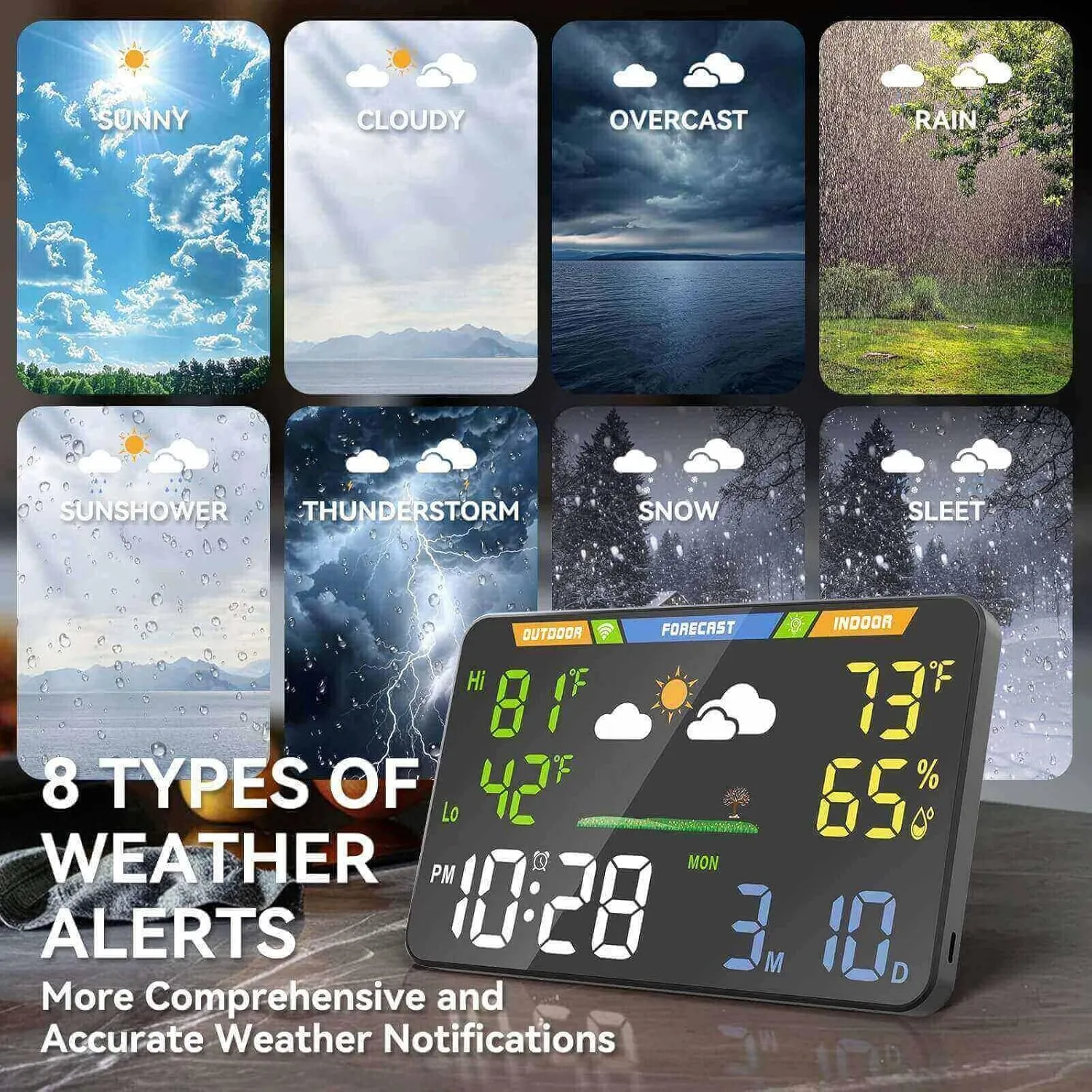
This is the most critical distinction to understand. The EnvyBox does not measure outdoor conditions. Instead, it uses its WiFi connection to pull weather data from a massive global network of over 3.5 million professional weather stations. This is the same kind of high-quality data that powers forecasts from major providers like NOAA and Weather.com. The device then uses geolocation (or one of 2,926 manual US location points) to display a precise, professional forecast for your specific area. It's a trade-off: you lose hyper-local, real-time measurements from your garden, but you gain a highly accurate forecast powered by professional-grade equipment.
The 8.5" LED Display: A Note on Accuracy
The full-screen LED display is the visual centerpiece of the EnvyBox. With a 178° ultra-wide viewing angle, it's designed to be legible from anywhere in the room. However, the manufacturer includes an important and honest disclaimer: the heat generated by the bright LEDs can temporarily affect the internal temperature sensor. They state that after a 2-hour stabilization period, the indoor temperature reading becomes accurate to ±2°F. This transparency is commendable and a key detail for new owners to be aware of.
Summary of Pros & Cons (Based on Research)
Pros (Confirmed by Specs)
- No App Required: Unique browser setup is excellent for privacy and simplicity.
- Stunning LED Display: Large, bright, with a 178° viewing angle.
- Professional Forecast Data: Pulls from a global network for highly accurate forecasts.
- Patented, Modern Design: A unique and stylish addition to any room.
- Automatic Updates: Firmware updates are delivered automatically over WiFi.
Cons (By Design)
- No Outdoor Sensor: Does not measure your specific backyard conditions (wind, rain, etc.).
- Initial Indoor Inaccuracy: Requires a 2-hour stabilization period for the indoor thermometer.
- AC Power Required: The always-on screen and WiFi features require the unit to be plugged in.
- Not for Weather Hobbyists: This is a forecast display, not a data-logging tool for enthusiasts who prefer brands like Davis Instruments.
Analyst's Recommendation: Who Should Buy the EnvyBox?
Based on my in-depth analysis of its specifications, the EnvyBox WiFi Weather Station is a brilliantly designed product for a very specific audience. It is the perfect choice for the modern homeowner or office professional who values aesthetics, privacy, and at-a-glance access to accurate forecast information and a synchronized calendar.
It is not for the weather hobbyist, gardener, or farmer who needs to measure the real-time conditions in their own backyard. If you understand that you are buying a beautiful, smart, and private forecast display, not a traditional weather station, then the EnvyBox is an innovative and highly recommended piece of functional art for your wall or desk.
Which Home Weather Station Is Worth Buying?
We put five home weather stations head to head on accuracy, Wi-Fi connectivity, sensor quality, and long-term reliability. See which one we recommend for most homeowners.
Key Questions Answered
Does the EnvyBox station have an outdoor sensor?
No, and this is its most important feature. The EnvyBox does not measure your backyard weather. Instead, it connects to the internet and pulls highly accurate forecast data from a global network of over 3.5 million professional weather stations. It only has sensors for indoor temperature and humidity.
How does it connect to WiFi without an app?
It uses a unique browser-based setup. You connect your phone or computer to the device's own WiFi hotspot, which then directs you to a web page (192.168.1.1) where you can select your home's WiFi network and enter the password. It's a one-time setup.
Does the screen stay on all the time?
Yes, but only when it is plugged in using the Type-C power cord. When running on 3xAA batteries, the screen turns off to save power and will light up for 5 seconds when touched.
My Review Methodology: A Research-Driven Analysis
This review is an analysis based on manufacturer-provided specifications and the official product manual. This unit was not tested by us; this review is based on research of the manufacturer's specifications, interpreted with more than ten years of experience in weather technology. My conclusions are independent and grounded in this rigorous research process.
Ready to decide?
Get the No-App Weather Station
Prices and stock change daily. Check the current price, delivery options and what owners say in their reviews.
In this reviewNo-App Weather StationToday's price, delivery & owner reviews on Amazon
Check on Amazon →