
In this article 7 sections
Best Hygrometer for Basement: Top Picks for Damp Space Monitoring

Our picks in this guide
Compare the models in this guide
See today’s price, delivery options and customer reviews on Amazon.
As an Amazon Associate, I earn from qualifying purchases.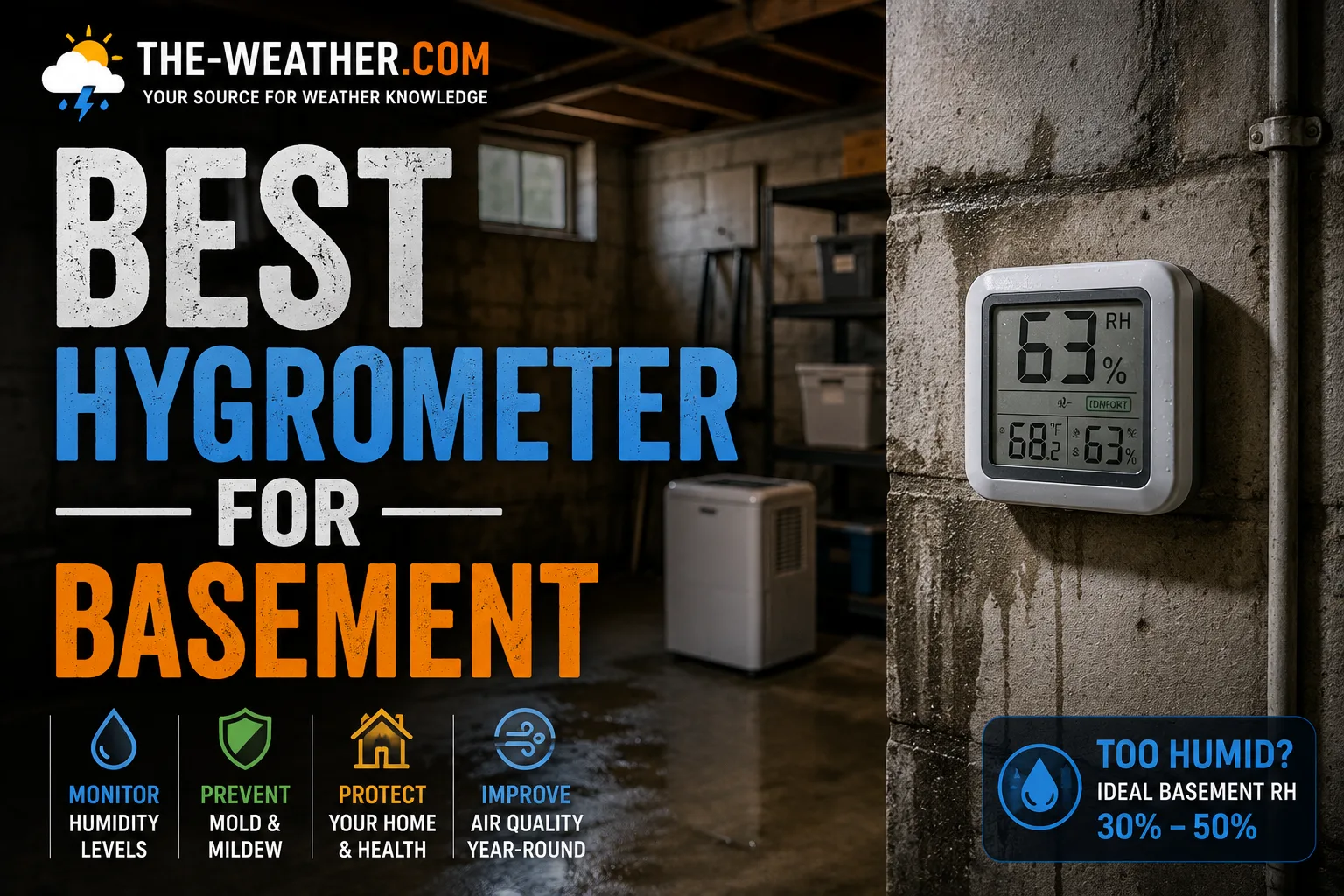
Basement humidity above 60% RH creates conditions where mold growth becomes increasingly likely: a Wi-Fi hygrometer with remote alerts catches problems before they compound.
Quick Picks by Use Case
| If you want... | Best pick | Key reason |
|---|---|---|
| Remote phone alerts from anywhere | Govee H5051 | Wi-Fi, alerts when humidity exceeds threshold |
| Bluetooth data logging + history | Govee H5075 | 20-day logging, 164 ft range, app graphs |
| Simple no-app spot-checking | ThermoPro TP50 | Large display, daily hi/lo, no setup needed |
| Multi-zone basement + whole home | Govee H5179 | Wi-Fi, 2-year data history, multi-sensor capable |
| Professional-grade accuracy | SensorPush HT1 | Swiss Sensirion sensor, continuous cloud logging |
Comparing hygrometers? Our overview of the best hygrometers for every room puts the picks for bedrooms, basements, grow tents and humidors side by side.
Which Basement Humidity Monitor Is Right for You?
| Your situation | Best choice | Why |
|---|---|---|
| Rarely enter the basement | Govee H5051 | Wi-Fi alerts reach your phone from anywhere |
| Visit weekly: want history | Govee H5075 | Bluetooth logs 20 days, syncs when in range |
| Just want a simple display | ThermoPro TP50 | No app, no setup: batteries in, readings shown |
| Multiple basement zones | Govee H5179 | Wi-Fi, up to two years cloud history, multi-sensor |
| Highest sensor consistency | SensorPush HT1 | Swiss Sensirion sensor, known for long-term accuracy |
What Humidity Level Is Normal for a Basement?
Basement Relative Humidity: What Each Range Means
The recommended basement humidity target is 30% to 50% RH year-round. Above 60% RH, mold growth becomes increasingly likely if humidity remains at that level for extended periods: humidity alone does not guarantee mold, but it is a key contributing factor alongside temperature and available nutrients. Most basement humidity problems are seasonal: spring and early summer bring the highest outdoor humidity, which migrates into basements through walls and floor cracks.
Set your hygrometer alert threshold at 60% RH as an early warning trigger. This gives you time to run a dehumidifier before conditions reach levels where conditions become increasingly favorable for mold growth.
The Best Basement Hygrometers: Reviewed
The H5051 connects to your home Wi-Fi (2.4GHz only) and reports to the Govee Home app: no hub or gateway required. You set a humidity alert threshold (60% RH is recommended for basements) and receive a push notification on your phone if readings exceed it, whether you are upstairs, at work, or away from home. The app stores up to 32,000 data points and allows export as a CSV file, making it practical for tracking seasonal patterns and evaluating dehumidifier performance over time.
The display shows current temperature and humidity alongside a comfort icon. Accuracy is stated at ±3% RH: appropriate for monitoring humidity levels associated with mold prevention. The small round form factor mounts on a wall or sits on a shelf without drawing attention.
The H5075 connects via Bluetooth to the Govee Home app and stores 20 days of temperature and humidity readings with scrollable graphs. The Bluetooth range is stated at 164 feet under open-air conditions: actual indoor range is typically lower because of walls and floors. The app supports alert notifications when your phone is in range.
It uses a sensor with stated accuracy of ±2% RH and ±0.54°F: among the better figures in this price category. A single AAA battery is rated to last up to a year. The large LCD display is readable without opening the app.
The TP50 shows current temperature in °F and °C, current humidity, daily high and low records, and a comfort indicator (Dry/Comfort/Wet). There is no app, no Bluetooth, no Wi-Fi: batteries in, readings on display within seconds. It refreshes every 10 seconds.
Accuracy is stated at ±2% to ±3% RH depending on the humidity range. The 2.62-inch display is large enough to read from several feet away. A magnetic back allows attachment to metal surfaces: useful in mechanical or utility basements.
The TP50 does not log data or send alerts: you check the current reading and daily hi/lo when you visit. For a basement you check regularly it is a practical and inexpensive option. For a basement you rarely enter, the H5051 or H5179 are more appropriate.
The H5179 connects to Wi-Fi (2.4GHz) and stores up to two years of cloud-based data history: significantly more than the H5051's local storage. Multiple H5179 units can be managed in the same Govee Home app, making it practical for monitoring a large basement with different zones, or combining basement monitoring with other rooms in the same app.
Alert configuration requires a Bluetooth connection initially: once set up over Bluetooth, alerts trigger remotely via Wi-Fi. Accuracy is stated at ±3% RH.
Where to Place a Hygrometer in the Basement
Placement has as much influence on reading accuracy as the sensor itself. A well-specified hygrometer placed incorrectly will give misleading data.
- Center of the basement, not near walls
- 3 to 4 feet from the floor
- Away from HVAC vents and ducts
- Away from windows and exterior doors
- Allow 24 hours to acclimate after first install
- Near the area of most concern (stored items, finished space)
- Directly against exterior concrete walls: surfaces run colder than air
- Near cold water pipes: condensation inflates readings
- Next to a dehumidifier: the dry exhaust air gives false low readings
- Near the sump pump: localized moisture spikes
- Near basement windows: outdoor air infiltration
- On the floor: ground-level humidity is not representative of the room
Full Comparison
| Model | Connectivity | Remote alerts | Data history | Accuracy |
|---|---|---|---|---|
| Govee H5051 | Wi-Fi 2.4GHz | ✓ Yes | 32,000 points | ±3% RH |
| Govee H5075 | Bluetooth | ✗ In range only | 20 days | ±2% RH |
| ThermoPro TP50 | None | ✗ No | Daily hi/lo only | ±2–3% RH |
| Govee H5179 | Wi-Fi 2.4GHz | ✓ Yes | Up to 2 years cloud | ±3% RH |
Frequently Asked Questions
What is the best humidity level for a basement?
The recommended target range is 30% to 50% RH year-round. Above 60% RH mold growth becomes increasingly likely on walls, stored items, and structural wood. Set a Wi-Fi hygrometer alert at 60% RH for early warning before humidity remains elevated long enough for mold growth to become increasingly likely. Below 30% is uncommon in basements but can affect wood framing and stored items.
Where should I place a hygrometer in the basement?
Place it in the center of the basement at 3 to 4 feet from the floor, away from HVAC vents, windows, exterior walls, cold water pipes, and the dehumidifier exhaust. Avoid placing it directly against concrete: wall surfaces run colder than ambient air and give inflated readings. Allow 24 hours after first placement to acclimate.
Which hygrometer is most accurate for basements?
For basement mold-prevention monitoring, ±3% RH accuracy is adequate: the Govee H5051, H5179, and H5075 all meet this standard. The H5075 is rated at ±2% RH. For tighter accuracy, the SensorPush HT1 uses a Swiss-made Sensirion sensor known for consistent long-term performance. Allow 24 hours for any sensor to acclimate after placement.
What is the difference between a hygrometer and a moisture meter?
A hygrometer measures water vapor in the air: it shows ambient relative humidity. A moisture meter measures moisture content inside solid materials like concrete, drywall, or wood using electrical resistance. For ongoing basement monitoring, a hygrometer is the right tool. A moisture meter is used to diagnose existing water damage inside building materials.
Related hygrometer pages
Community Feedback
This page does not reflect independent testing: analysis is based on manufacturer documentation. Our tip: do not put the sensor directly against an exterior concrete wall, which reads higher than the true room humidity.

Lena Thornton
Weather Station Analyst & CWOP Contributor. Lena researched, reviewed and analysed basement hygrometer options using manufacturer documentation and Amazon product data. Updated July 2026.
Ready to decide?
Find your pick on Amazon
Prices and stock change daily. Check the current price, delivery options and what owners say in their reviews.
Our top picksCompare our picks on AmazonToday's price, delivery & owner reviews on Amazon
Check on Amazon →